
If you are already running your business on Zoho CRM, Zoho Books, or Zoho Desk, then Zoho Field Service (FSM) is a no-brainer. It plugs into your existing world perfectly and costs pennies compared to the competition.
But if you are a typical HVAC or Plumbing contractor who has never heard of Zoho, is this software worth the headache?
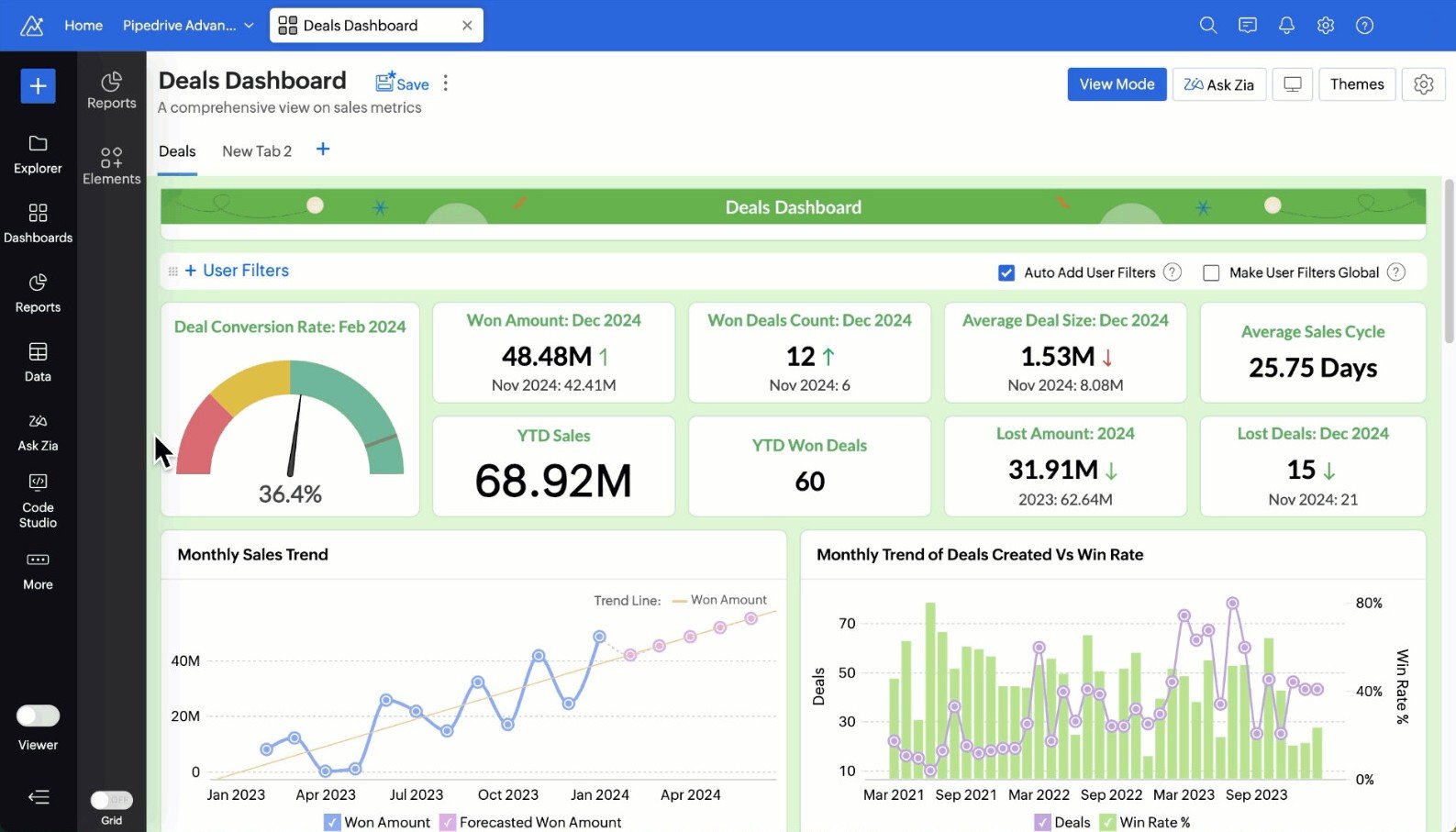
Zoho is a giant in the software world (like Google or Microsoft). Their FSM tool is powerful and highly customizable, but it lacks the “trade-specific” polish that plumbers and electricians expect. It feels like IT software, not contractor software.
In our 2026 review, we analyze whether the massive cost savings are worth the steep learning curve.
| Feature | Details |
|---|---|
| 🏆 Overall Rating | ⭐⭐⭐⭐☆ (4.0 / 5.0) |
| 🎯 Best For | Businesses already in the Zoho Ecosystem (Using Zoho CRM or Zoho Books) |
| 💰 Pricing Model | Very Affordable (Starts ~$15/tech or included in Zoho One) |
| ✅ The Pros |
|
| ❌ The Cons |
|
| 🛠 Support | Email, Knowledge Base, Ticket System |
| 🏁 Final Verdict | Visit Zoho FSM Website |
The Verdict: Unbeatable Value, High Effort
Zoho FSM is not a “plug-and-play” tool like Jobber. It is a platform. You have to build it to fit your business.
If you are willing to configure it, you get enterprise-level power (custom scripts, API access, multi-warehouse inventory) for $15/month. If you want something that works out of the box, you will hate it.
Decision Matrix (Is Zoho Right for You?)
| If you are… | And your tech skill is… | Then choose… |
|---|---|---|
| Zoho One User | High | Zoho FSM (It’s included in your bundle) |
| Startup (1-3 Techs) | Low | Jobber (Easier to start) |
| IT / Low Voltage | High | Zoho FSM (Great asset tracking) |
| Residential HVAC | Low | Housecall Pro (Better sales tools) |
Who Should Buy This?
- Zoho One Subscribers: If you pay ~$45/user for the Zoho One suite, this app is included. You are essentially getting FSM software for free.
- Tech-Savvy Owners: If you know what an “API” or “Webhook” is, you will love the freedom Zoho gives you to customize workflows.
- Asset-Heavy Businesses: IT repair, medical equipment service, or commercial maintenance where tracking serial numbers is key.
Who Should Avoid This?
- Sales-Driven Contractors: It lacks visual “Good/Better/Best” proposal tools. It’s hard to upsell a homeowner using Zoho’s dry interface.
- Non-Technical Owners: If setting up email on your phone frustrates you, setting up Zoho will be a nightmare.
- QuickBooks Loyalists: It connects to QBO, but it is designed to work with Zoho Books. Using it with QuickBooks sacrifices 50% of its power.
Pros & Cons (Real-World Testing)
| Pros (The “Wow” Factor) | Cons (The Pain Points) |
|---|---|
| Zoho One Bundle: Access 40+ other apps (CRM, Sign, Social) for one flat price. | Generic Interface: Terms like “Request” and “Work Order” feel corporate. It lacks trade-specific language. |
| Customization (Deluge): You can code your own buttons and automations. | Setup Complexity: Requires mapping fields, setting up blueprints, and configuring API tokens. |
| Free Plan: A generous free tier for startups (3 users) that actually works. | Mobile App: Functional for data entry, but not a great “sales presentation” tool. |
| Inventory: Native multi-warehouse and serial number tracking. | Support: Email/Chat based. No dedicated success manager for small accounts. |
Zoho FSM Pricing & The “Free” Reality
Zoho’s pricing is aggressive. They use software as a loss leader to get you into their ecosystem.
The Free Edition (What’s the Catch?)
- Cost: $0/forever.
- Users: Up to 3 users.
- Limit: Limited number of Service Appointments per month (typically 50).
- Missing: No custom profiles, no advanced inventory.
- Verdict: Perfect for a side-hustle or a solo tech just starting out.
Paid Plans & Zoho One Bundle
- Standard: ~$15/user/month. Unlimited jobs.
- Professional: ~$25/user/month. Adds inventory serialization and custom buttons.
- Zoho One: ~$45/user/month (for ALL employees). This gives you Zoho FSM PLUS Zoho CRM, Zoho Books, Zoho Sign, and 40 more apps. This is the best value deal in the software industry.
Compare costs: Field Service Software Pricing Index
Unique Features (Information Gain)
Our analysis shows that Zoho’s power lies in what you can build with it.
Custom “Deluge” Scripts (Real-World Example)
“Deluge” is Zoho’s low-code scripting language. No other SMB tool allows this.
- The Scenario: You want to send a “Thank You” SMS to a customer 24 hours after a job, but only if the invoice is paid.
- The Zoho Way: You can write a simple script:
if (Invoice_Status == 'Paid') { send_sms(Customer_Phone, "Thank you!"); }. - The Competitor Way: In Jobber or Housecall Pro, you can’t do this unless it’s a built-in feature.
Zoho One Integration (The Killer Value)
Imagine if ServiceTitan gave you free access to QuickBooks, Mailchimp, DocuSign, and Slack as part of your subscription. That is Zoho One.
- Data flows seamlessly. A lead in Zoho CRM becomes a work order in Zoho FSM, which becomes an invoice in Zoho Books, which triggers a survey in Zoho Survey.
Zoho Books Sync vs. QuickBooks
If you use Zoho Books (their accounting tool), the sync is instant.
- Inventory: Unlike QBO, Zoho Books handles inventory serialization well. When a part is used on a job, it leaves your ledger instantly.
- Expenses: Tech expenses (gas, lunch) logged in the app sync directly to the accounting platform.
Core Operations Breakdown
Dispatching & Skills Management
The dispatch board is a standard Gantt chart.
- Skills: You can tag techs with “Electrician – Level 2” or “Heat Pump Certified.” The dispatcher can filter the map to show only qualified techs.
- Map: Shows real-time location (if the app is running).
- Missing: No AI-driven route optimization on the lower tiers.
The Mobile App (Service vs. Sales)
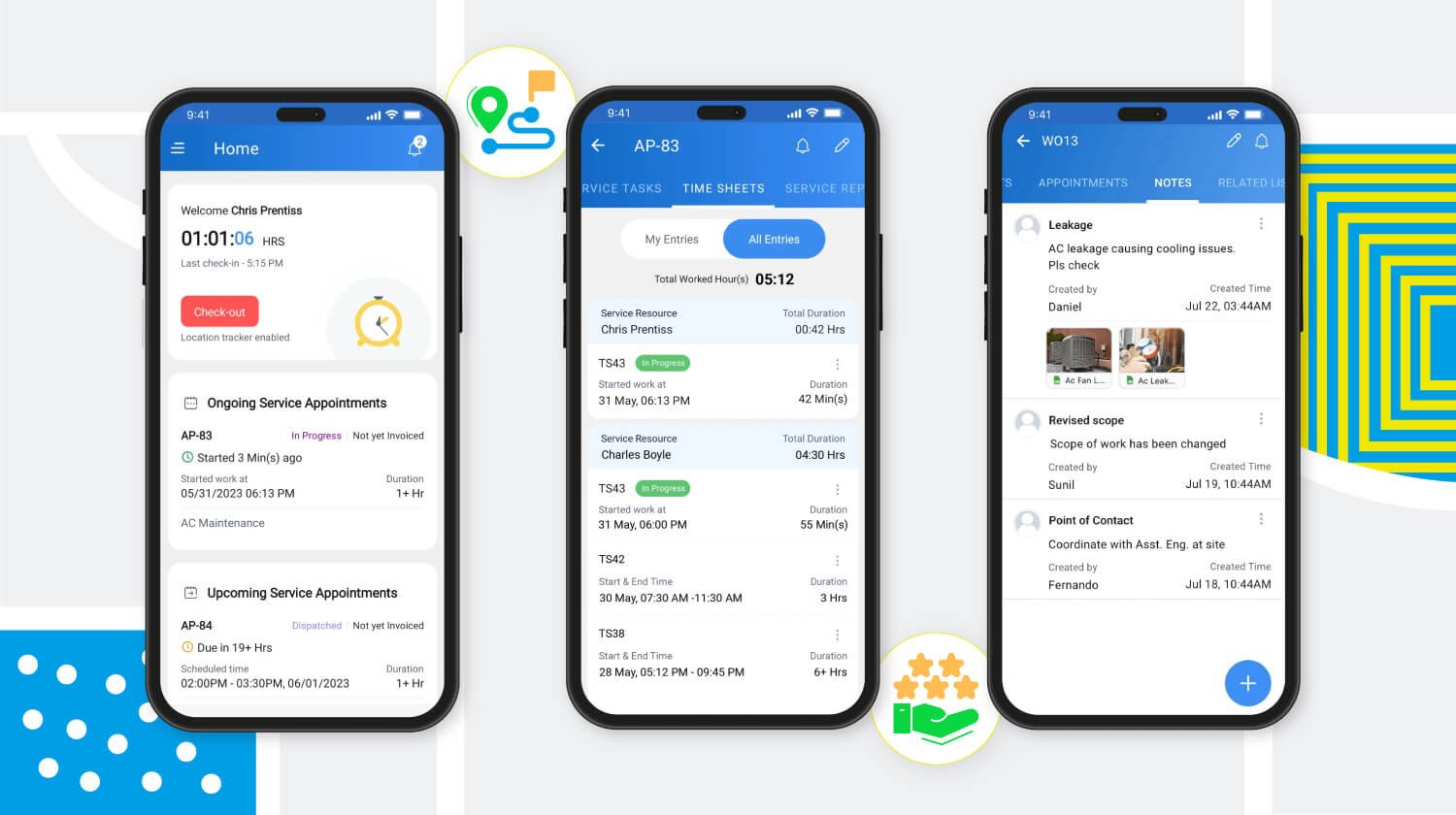
- Service: Great. Techs can clock in, view checklists, take photos, and add parts.
- Sales: Weak. Generating a quote feels like filling out a tax form. It lacks the visual “Option A vs Option B” presentation mode found in Housecall Pro.
Inventory Serialization
This is a strong point for IT and Medical service companies.
- You can track an item by Serial Number from purchase, to warehouse, to the customer’s location.
- Most competitors only track “quantity” (e.g., you have 5 thermostats), not “which” thermostat.
Implementation & Setup
Zoho requires a “System Architect” mindset.
7-Day Configuration Checklist
- Day 1: Sign up and define “Service Territories” (Zones).
- Day 2: Import Customer/Contact data from CSV. Warning: Map the fields carefully to avoid duplicates.
- Day 3: Configure “Skills” and assign them to your users.
- Day 4: Set up Zoho Books integration (or QBO). Map your tax codes.
- Day 5: Create your PDF templates (HTML/CSS knowledge helps here) for Quotes and Invoices.
- Day 6: Write your first “Blueprint” (Process Flow) to enforce steps like “Take Photo” before “Complete Job.”
- Day 7: Test the mobile app workflow with a dummy job.
Zoho FSM vs. Competitors
Zoho vs. Jobber
- Choose Jobber if you want simplicity. You pay more, but you spend zero time coding or configuring.
- Choose Zoho if you want total control and have a tight budget.
Zoho vs. Salesforce Field Service
- Both are platforms.
- Choose Zoho if you are a small-to-mid business ($1M – $10M revenue).
- Choose Salesforce if you are a massive enterprise ($50M+ revenue) with a dedicated IT department.
Frequently Asked Questions (FAQ)
Is the Free Plan really free forever?
Yes, but it is limited to 3 users and a certain volume of transactions (appointments/invoices). It does not expire, but growing businesses will hit the limits quickly.
Can I customize the invoice PDF?
Yes, Zoho uses a powerful HTML/CSS editor for templates. You can make your invoices look exactly how you want, but you might need a web designer to help if you don’t know HTML.
Does it support “Good/Better/Best” proposals?
Not natively. You can create multiple quotes, but there is no side-by-side visual presentation mode like in Housecall Pro or ServiceTitan.
Do I need Zoho CRM to use Zoho FSM?
No, Zoho FSM works standalone. However, integrating it with Zoho CRM gives you much better sales pipeline tracking and marketing automation.
Does it work offline?
Yes, the mobile app stores data locally and syncs when a connection is restored. However, complex features like “looking up live inventory in another warehouse” require a signal.
Is there route optimization?
Yes, but it is basic compared to specialized routing software. It organizes stops based on location, but doesn’t fully account for live traffic delays in the same way Jobber does.
Can I migrate my data from Jobber to Zoho?
Yes, via CSV export/import. Zoho has a migration tool, but you will need to map the columns manually. Historical job data (past appointments) is often the hardest part to migrate.