
If you run a Locksmith, Garage Door, or Junk Removal business, your operation is different from a general contractor. You live and die by “Speed to Lead.” If you don’t answer the phone in 30 seconds, that customer calls the next guy on Google.
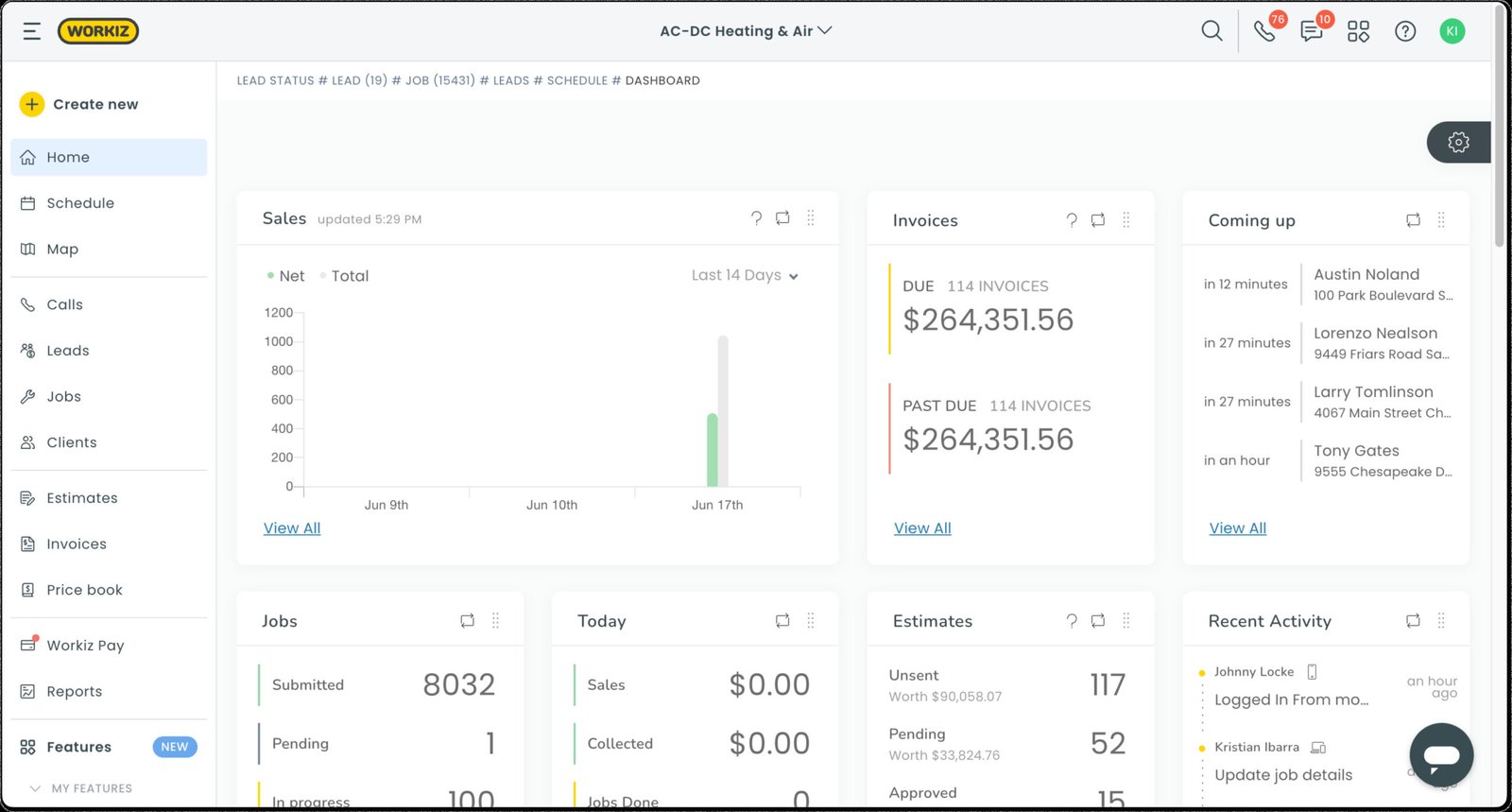
Workiz is built for this high-velocity environment. Unlike Jobber (which focuses on ease of use) or ServiceTitan (which focuses on complex reporting), Workiz focuses on Communications. It is the only major FSM platform with a fully integrated phone system built into its core infrastructure.
In our 2026 review, we analyze whether this “Communication-First” approach justifies the extra cost of phone minutes—and expose the limitations in its inventory system.
| Feature | Details |
|---|---|
| 🏆 Overall Rating | ⭐⭐⭐⭐⭐ (4.7 / 5.0) |
| 🎯 Best For | On-Demand Service Pros (Locksmith, Junk Removal, Garage Door) |
| 💰 Pricing Model | Starts at ~$65/user/mo (Standard & Ultimate Plans) |
| ✅ The Pros |
|
| ❌ The Cons |
|
| 🛠 Support | Phone, Live Chat, Zoom Onboarding |
| 🏁 Final Verdict | Visit Workiz Website |
The Verdict: Speed Wins
Workiz is the undisputed king for short-duration, high-urgency jobs. If your average job ticket is under $500 and you do 5+ jobs per truck per day, Workiz is superior to the competition.
However, if you do long-term projects (remodeling) or complex installations (commercial HVAC), Workiz’s “transactional” nature will frustrate you.
Decision Matrix (Is Workiz Right for You?)
| If your business is… | And your call volume is… | Then choose… |
|---|---|---|
| Locksmith / Garage Door | High (20+ calls/day) | Workiz (Best phone system) |
| Junk Removal | Medium (10+ calls/day) | Workiz (Best scheduling speed) |
| Landscaping / Cleaning | Low (Recurring clients) | Jobber (Simpler, cheaper) |
| Commercial HVAC | Low (Contract based) | FieldEdge (Better job costing) |
Who Should Buy Workiz?
- On-Demand Trades: Locksmiths, Garage Door, Appliance Repair, Junk Removal.
- Google Ads Spenders: If you spend $1,000+/month on ads, Workiz’s Ad Tracking numbers are essential to see which ads are working.
- Multi-Territory Fleets: The “Metro Area” feature makes managing a fleet across a large city (like LA or Houston) easy.
Who Should Avoid Workiz? (Specific Warnings)
- Asset-Heavy Trades: If you need to track the serial number of a furnace you installed 5 years ago for warranty purposes, Workiz cannot do this easily. It lacks “Asset Management.”
- Complex Inventory: You cannot track “Truck 1” vs “Warehouse” inventory levels with precision or issue Purchase Orders.
- Project Managers: It does not handle “Progress Billing” (AIA style) well.
Pros & Cons (Real-World Testing)
| Pros (The “Wow” Factor) | Cons (The Pain Points) |
|---|---|
| Integrated Phone System: Records calls, masks tech numbers, and pops up customer details before you answer. | Hidden Usage Costs: You pay a monthly subscription PLUS minutes and SMS credits. It adds up. |
| Google LSA Integration: Direct integration with “Google Local Services Ads” allows bookings to drop straight into your schedule. | Inventory Limitations: No serial number tracking or multi-warehouse management. |
| Workiz Genius: AI that auto-replies to missed calls helps you save leads you would otherwise lose. | No Native Payroll: You must export timesheets to Gusto or QuickBooks. |
| Online Booking: One of the most modern, “Uber-like” booking widgets for your website. | Mobile Sync: Heavy data usage for the app if technicians are viewing lots of photos. |
Workiz Pricing & Hidden Costs
Workiz uses a tiered user model.
Subscription Tiers
- Lite: Free (Max 2 users). No phone system. Good only for very small dispatching.
- Standard: ~$65/mo per user. Basic dispatching.
- Ultimate: ~$120/mo per user. (Recommended) Unlocks the Phone System, LSA Integration, and Automations.
The “Phone Bill” Reality (Minutes & SMS Credits)
Transparency Warning: The software fee is not your total bill.
- Phone Numbers: ~$5/mo per number.
- Minutes: You pay per minute for calls (inbound and outbound).
- SMS Credits: Long text messages (over 160 characters) count as 2 credits. Marketing blasts consume credits fast.
- Budgeting Tip: Expect to pay an extra $50 – $200 per month in usage fees if you have 3-5 trucks.
Compare typical costs: Field Service Software Pricing Index
Not sure if you can afford this? Use our ROI Calculator to see how much time software could save you. And check other Free Tools & Calculators for Field Service Management.
Unique Features (Information Gain)
Our analysis highlights features that set Workiz apart, specifically for high-volume shops.
Workiz Service Phone (Call Recording & Masking)
This replaces RingCentral or Grasshopper.
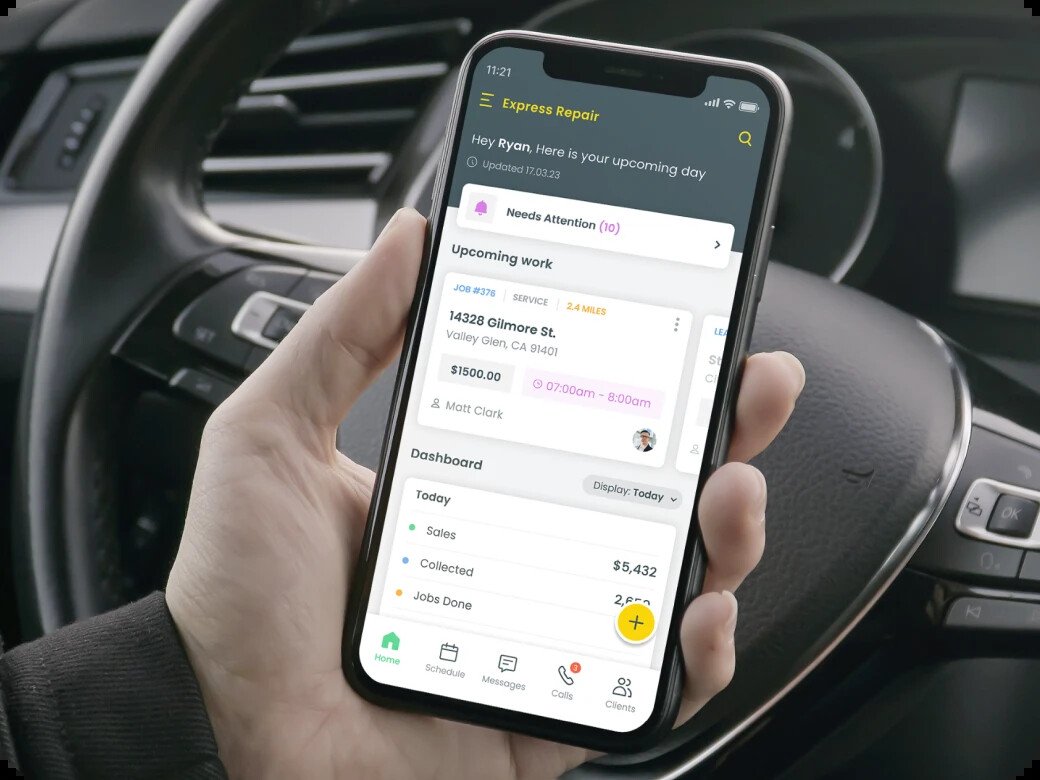
- Call Masking: When a tech calls a customer from the app, the customer sees your business number, not the tech’s personal cell. This prevents “side jobs” (techs stealing clients).
- Call Recording: Every call is attached to the job card. Essential for dispute resolution (“You said it would cost $100!”).
Google Local Services Ads (LSA) Integration
For locksmiths and garage door pros, Google LSA is life.
- Workiz integrates directly. When a customer clicks “Book” on Google, the job appears on your Workiz dispatch board.
- It feeds conversion data back to Google, helping optimize your ad ranking.
Workiz Genius (AI Automation)
- Missed Call Rescue: If you miss a call, Genius instantly texts: “Sorry we missed you! Reply here or click to book online.”
- Impact: Users report recovering 20-30% of missed opportunities using this simple automation.
Core Operations Breakdown
Dispatching (Metro Areas & Map)
The dispatch board is colorful and built for speed.
- Metro Areas: You can draw zones (e.g., “North City”, “South City”) on the map. The system warns dispatchers if they try to send a “South City” tech to a “North City” job, saving fuel.
- Map View: Real-time GPS location of techs (via app) helps you assign emergency jobs to the nearest driver.
Online Booking (The “Uber” Experience)
Workiz has the best-looking consumer booking widget.
- Customers select a service (“Car Lockout”), see a price range, and pick a time slot.
- You can require a credit card deposit to prevent no-shows.
Inventory (The Major Limitation)
This is Workiz’s weak point.
- It tracks “consumables” (e.g., how many keys or remotes are on the truck).
- Missing: It does not track serial numbers (Asset Management).
- Missing: It does not handle “Purchase Orders” to restock from vendors efficiently.
Implementation & Setup
7-Day Launch Checklist
- Day 1: Initiate “Number Porting” if you want to keep your main business number (Warning: This can take 2-4 weeks; forward calls in the meantime).
- Day 2: Set up “Metro Areas” and assign techs to zones.
- Day 3: Connect QuickBooks Online Integration.
- Day 4: Configure “Workiz Genius” auto-texts.
- Day 5: Connect Google Local Services Ads (LSA) account.
- Day 6: Set up “Ad Tracking” numbers for your website and van wraps.
- Day 7: Embed the Online Booking widget on your site.
Workiz vs. Competitors
Workiz vs. Jobber
- Choose Jobber if you want simplicity and don’t need a complex phone system. It is cheaper to run (no minute fees).
- Choose Workiz if you need to track ad ROI and manage high call volumes efficiently.
Workiz vs. Housecall Pro
- Choose Housecall Pro if you are in residential HVAC/Plumbing and need “Good/Better/Best” sales proposals.
- Choose Workiz if “Speed to Lead” is more important than “Sales Presentation.”
Frequently Asked Questions (FAQ)
Does Workiz integrate with Google Local Services Ads (LSA)?
Yes, and it is one of the deepest integrations in the market. Bookings flow directly into Workiz, and Workiz reports revenue back to Google to improve your ad quality score.
Can I port my existing VoIP number?
Yes, you can port numbers from RingCentral, Google Voice, or landlines. Warning: This process is regulated by the FCC and typically takes 2-4 weeks. You must set up call forwarding during the transition.
Is the “Lite” plan actually usable?
Only for very small, part-time businesses. It limits the number of jobs you can do and lacks the phone integration, which is the main reason to buy Workiz. Most serious businesses need the “Standard” or “Ultimate” plan.
Can I record calls?
Yes, you can record all inbound and outbound calls. Workiz provides an optional “This call is being recorded” announcement to comply with two-party consent laws.
How much do SMS credits cost?
Prices vary by package, but generally, marketing text blasts cost a few cents per message. Be careful with long messages; exceeding 160 characters counts as 2 credits/segments.
Does it work offline?
Yes, the mobile app allows techs to view schedules and create invoices offline. However, the phone/calling features obviously require a cellular data connection.