
Most software in the home service industry is built for operations: dispatching trucks, tracking inventory, and generating invoices.
Thryv is built for growth: getting found on Google, managing social media, and automating reputation management.
If you are a plumber looking to organize a complex warehouse, Thryv is likely the wrong tool. But if you are a solo HVAC tech tired of posting to Facebook at 9 PM and missing calls because you are in an attic, Thryv might be the “Business Center” you need.
In our 2026 review, we analyze whether Thryv’s powerful marketing features justify its weaker dispatching tools—and we address the “elephant in the room”: the 6-month contract.
| Feature | Details |
|---|---|
| 🏆 Overall Rating | ⭐⭐⭐⭐☆ (4.1 / 5.0) |
| 🎯 Best For | Small Service Businesses focused on Marketing & Online Presence |
| 💰 Pricing Model | Custom Tiered Pricing (Estimated starts ~$199/mo) |
| ✅ The Pros |
|
| ❌ The Cons |
|
| 🛠 Support | 24/7 Support, Phone, Chat |
| 🏁 Final Verdict | Visit Thryv Website |
The Verdict: Great for Growth, Weak for Ops
Thryv is not primarily a Field Service Management (FSM) tool like ServiceTitan. It is a Small Business Management Platform.
It excels at the “Before the Job” (Marketing) and “After the Job” (Reviews/Follow-up) phases. It is merely “okay” at the “During the Job” (Dispatch/inventory) phase.
Decision Snapshot
| Feature | Rating | Why? |
|---|---|---|
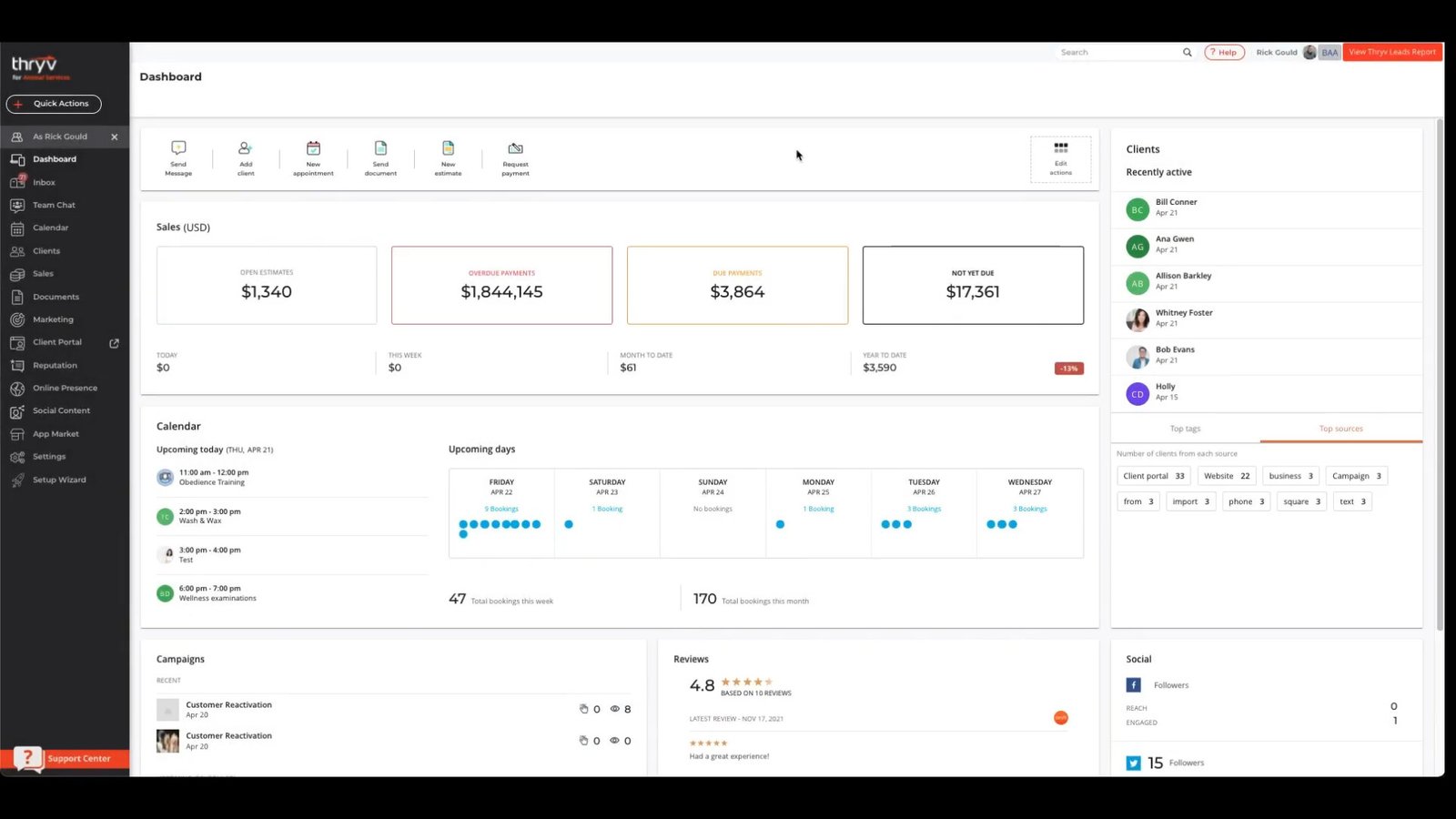
| Marketing | 5/5 | Best-in-class social media scheduler and listing management. |
| Dispatching | 3/5 | Basic calendar. No complex routing, traffic data, or capacity planning. |
| Client Portal | 4.5/5 | Excellent customer experience for booking and payments. |
| Contracts | 2/5 | Restrictive 6-month or annual contracts with auto-renewal clauses. |
| Setup Time | Fast | 1-2 weeks. |
Who Should Buy Thryv?
- Solo Operators & Small Teams (1-5 users): You wear every hat. You need one tool to handle your Instagram, Google Maps listing, invoices, and schedule.
- Marketing-Challenged Owners: You know you need to be online, but you don’t know how to do SEO. Thryv automates this.
- Service-Only Businesses: Carpet cleaners, window washers, and landscapers where “inventory” is just a bottle of soap.
Who Should Avoid Thryv? (Specific Warnings)
- Inventory-Heavy Trades: If you need to track serial numbers for warranties or manage truck stock, Thryv cannot do this. It lacks asset management. Look at FieldEdge.
- Contract Haters: If you want the freedom to cancel anytime, pick Jobber. Thryv contracts are notoriously hard to exit early.
- Complex Dispatch Needs: If you need “Skill-based routing” (e.g., sending only Senior Techs to boiler repairs), Thryv lacks this logic.
Pros & Cons (Real-World Testing)
| Pros (The “Wow” Factor) | Cons (The Pain Points) |
|---|---|
| Social Media Automation: Write one post, and Thryv publishes it to Facebook, Instagram, LinkedIn, and Google Business Profile simultaneously. | The Contract: 6-month auto-renewal contracts are standard. Cancellation often requires 30-day written notice. |
| Unified Inbox: All your texts, emails, and Facebook messages land in one single “Command Center” inbox. | Weak Dispatching: Lacks drag-and-drop route optimization based on live traffic data. |
| Listing Management: Updates your business hours on 40+ sites (Yelp, YellowPages, Google) instantly. | Support Quality: Support is 24/7 but generalist. Reps often don’t understand specific trade nuances like “flat rate pricebooks.” |
| ThryvPay: Specialized for service businesses with competitive ACH options. | No “True” Offline Mode: The mobile app requires a data connection for many core features. |
Thryv Pricing & The Contract Warning
Thryv does not publish a simple pricing list. They use a customized “Package” model.
The Package Model
- Estimated Cost: $200 – $500 per month.
- What’s Included: Often unlimited users (seats), which is a huge savings for larger office teams compared to per-user apps.
- Add-ons: “Marketing Services” (running Google Ads for you) and “Websites” cost extra.
The 6-Month Contract Reality
This is the most frequent complaint in user reviews.
- Commitment: Thryv typically requires a 6-month minimum term.
- Auto-Renewal: Contracts often roll over automatically.
- Our Advice: Set a calendar reminder 45 days before your contract ends. If you want to leave, you must notify them in writing.
Compare typical costs: Field Service Software Pricing Index
Unique Features (Information Gain)
Our analysis highlights features that set Thryv apart from standard FSM tools.
Social Media Automation (The Killer Feature)
For a plumber, posting on Facebook is a chore. Thryv solves this.
- Library: It comes with 500,000+ pre-written posts (“Time for a Spring Checkup!”, “Don’t let a leak ruin your day”).
- Scheduler: You can schedule a month’s worth of posts in 20 minutes.
- Result: Your business looks active and professional online without you spending hours on it.
Listing Management (Yext Alternative)
Thryv includes a feature essentially identical to Yext (which costs ~$500/year alone).
- If you change your phone number, Thryv pushes that update to Google, Bing, Yelp, Yahoo, and 40+ other directories.
- This is huge for Local SEO. Google trusts businesses with consistent data across the web.
Thryv Command Center (Unified Inbox)
Stop switching between apps.
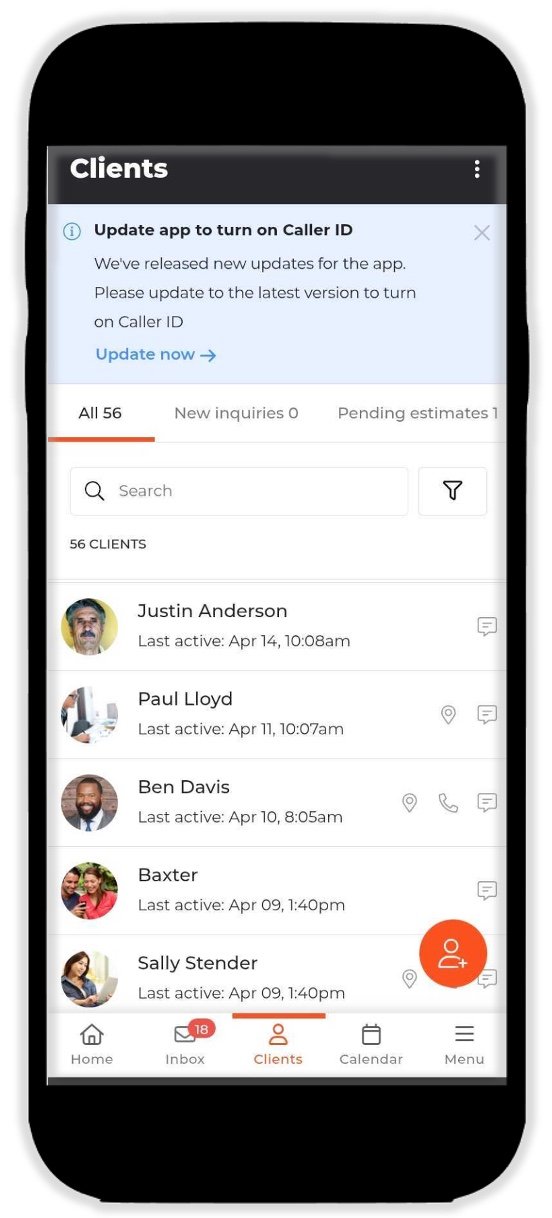
- When a customer messages you on Facebook, it appears in Thryv.
- When a customer texts you, it appears in Thryv.
- When a customer emails you, it appears in Thryv.
- You reply from one place, and the customer receives it on their preferred channel.
Core Operations Breakdown (Technical Limitations)
Scheduling & Dispatch (Why It Struggles)
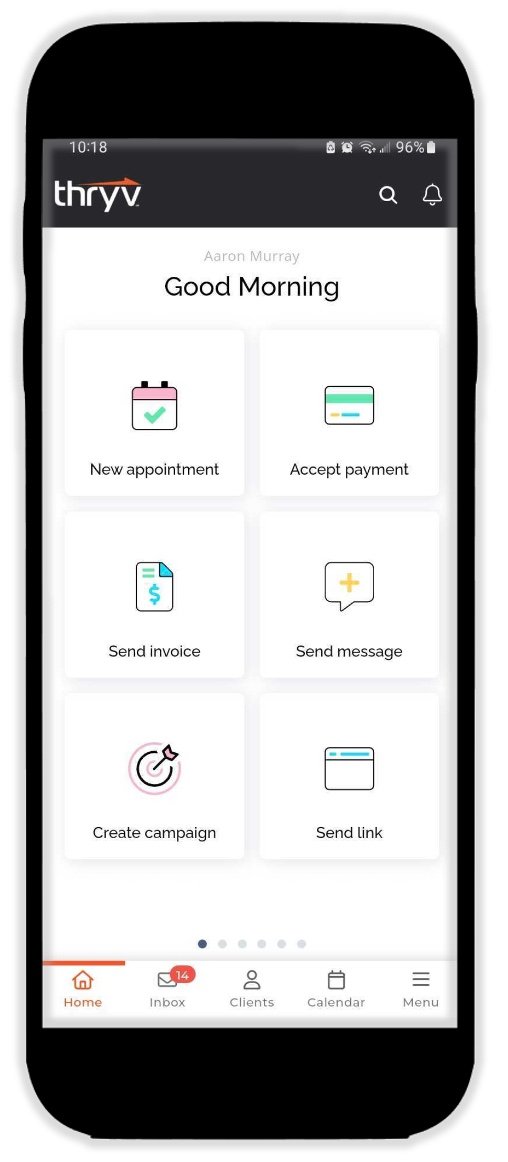
Thryv’s calendar is designed for “Appointments” (like a salon), not “Dispatching” (like a plumbing fleet).
- Missing: No route optimization based on traffic.
- Missing: No ability to track inventory parts consumed per job.
- Missing: No “On My Way” tracking link for customers to see the truck approaching.
- Deep Dive: Dispatch & Scheduling Software Guide
CRM & Client Portal (The Bright Spot)
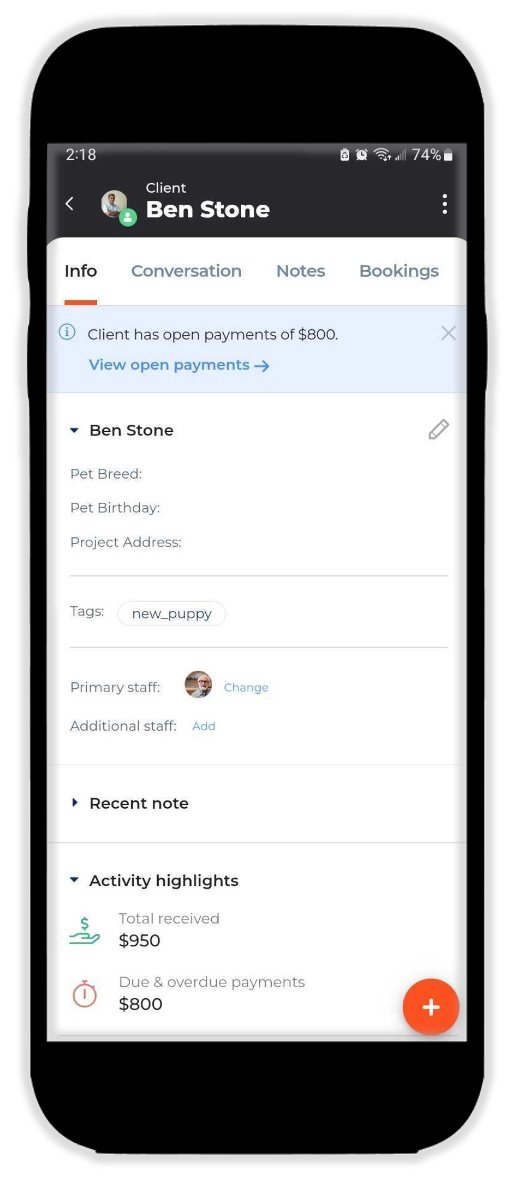
Thryv excels here. The Client Portal is beautiful.
- Customers can upload documents (photos of their broken sink).
- They can pay bills, book appointments, and see their history.
- It feels like a modern tech company portal, which builds trust.
ThryvPay Rates vs. Stripe
ThryvPay is built to compete with Stripe and Square.
| Feature | ThryvPay | Stripe / Square |
|---|---|---|
| Credit Card Rate | ~2.9% + 30¢ | ~2.9% + 30¢ |
| ACH (eCheck) | Flat Fee (e.g., $1 – $9 cap) | Often 0.8% – 1% |
| Scheduled Payments | Yes (Built-in) | Requires coding/addons |
| Benefit | Great for high-ticket invoices (Save huge fees on ACH). | Better for e-commerce. |
Setup & Implementation
Thryv is not “plug and play” like Jobber; it requires configuration.
7-Day Launch Checklist
- Day 1: Connect Google Business Profile and Facebook page.
- Day 2: Upload customer list (CSV) and tag them (e.g., “VIP”, “Past Due”).
- Day 3: Set up ThryvPay and link bank account.
- Day 4: Configure “Online Booking” widget and embed on your website.
- Day 5: Activate “Listings Management” to sync your address across the web.
- Day 6: Schedule your first 4 social media posts.
- Day 7: Send a “Review Request” campaign to your past 10 customers.
Integrations (QuickBooks & Zapier)
- QuickBooks: Thryv integrates nicely with QuickBooks Online and Desktop. It syncs invoices and payments to keep your accountant happy.
- Zapier: Allows you to connect Thryv to 5,000+ other apps (e.g., “When a new lead arrives in Thryv, add them to my Mailchimp list”).
Thryv vs. Competitors
Thryv vs. Jobber
- Choose Jobber if you are a “Service First” business. You care about route optimization, fast dispatching, and a clean mobile app for techs.
- Choose Thryv if you are “Marketing First.” You need help getting leads, managing reviews, and posting to social media.
Thryv vs. Housecall Pro
- Choose Housecall Pro for the perfect balance. It has better dispatching than Thryv and better marketing than Jobber (automated postcards).
- Choose Thryv only if the “Listings Management” and “Unified Inbox” are critical to your workflow.
Frequently Asked Questions (FAQ)
Does Thryv work with Gmail/Outlook calendar?
Yes, Thryv has a 2-way sync with Google Calendar and Outlook. Appointments booked in Thryv appear on your personal calendar, and personal events block off time in Thryv.
Is the website builder actually SEO friendly?
Thryv’s websites are decent for local SEO (schema markup, mobile responsiveness). However, they are not as customizable as WordPress. If you cancel Thryv, migrating the website away can be difficult.
What happens to my data if I cancel Thryv?
You own your customer data. You can export your CRM list to a CSV file. However, you will lose your social media scheduling history and the “Listings Management” lock (meaning your listings might revert if not managed elsewhere).
Can I use Thryv just for invoicing?
Yes, but it’s expensive for just that. If you only need invoicing, use QuickBooks Online or a cheaper tool like Jobber Core. Thryv’s value lies in the marketing suite.
Does Thryv have an API?
Yes, Thryv offers an open API for developers, allowing custom integrations. However, most small businesses will stick to the Zapier integration for ease of use.
Why are the contracts so hard to get out of?
Thryv invests heavily in onboarding you (setting up listings, etc.). The 6-month term ensures they recoup that cost. It is a standard SaaS business model, but frustrating for contractors used to month-to-month flexibility.
Can I use my own phone number?
Yes, but Thryv often encourages using a tracking number for marketing attribution. Be careful—make sure you own your main business number, not Thryv.
Does it support flat-rate pricebooks?
No, not natively. You cannot import a complex HVAC pricebook with images and “Good/Better/Best” options like you can in ServiceTitan or Housecall Pro. You have to manually create service items.