
If you ask a Dispatcher what software they want, they will say ServiceTitan or Housecall Pro because they are pretty and easy to use.
If you ask an Accountant or CFO, they will likely whisper one name: Successware.
Successware is different. It didn’t start as a dispatch app; it started as a financial management system. For 20 years, it has been the secret weapon of large residential contractors who care more about “Net Profit” than “Flashy Features.”
In our 2026 review, we analyze the new Successware Platform (2.0) to see if it finally offers a user experience that technicians can tolerate, while keeping the financial rigor that owners love.
| Feature | Details |
|---|---|
| 🏆 Overall Rating | ⭐⭐⭐⭐☆ (4.0 / 5.0) |
| 🎯 Best For | Established Companies needing Built-in Accounting (No QuickBooks) |
| 💰 Pricing Model | Enterprise / Custom (Per user licensing) |
| ✅ The Pros |
|
| ❌ The Cons |
|
| 🛠 Support | Phone, Email, 24/7 Support |
| 🏁 Final Verdict | Visit Successware Website |
The Verdict: Operations vs. Accounting
Most FSM software is “Operations First, Accounting Second.” They sync to QuickBooks and hope for the best.
Successware is “Accounting First.” It is your accounting system.
Decision Snapshot
| Feature | Rating | Why? |
|---|---|---|
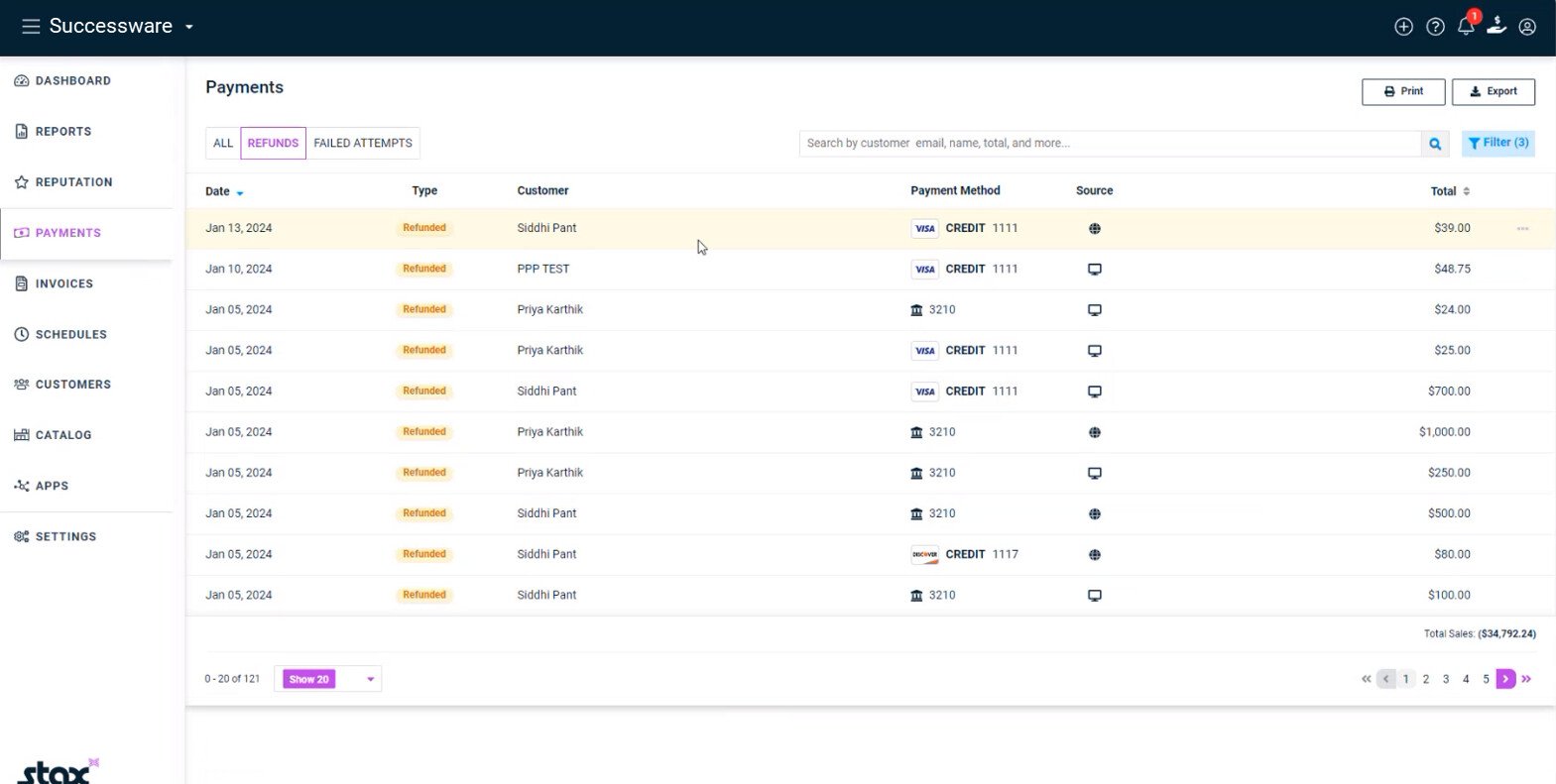
| Accounting | 5/5 | It has a full General Ledger built-in. No QuickBooks sync errors. |
| Mobile App | 3.5/5 | Functional, but lacks the modern polish of competitors. |
| Dispatching | 4/5 | Strong capacity planning but text-heavy interface. |
| Reporting | 5/5 | The best financial reporting in the industry, period. |
| Setup Time | Slow | 4-8 weeks to implement properly. |
Who Should Buy This?
- Companies with $3M+ Revenue: You need a full-time controller or accountant to run this system effectively.
- Profit-First Owners: If you obsess over “departmental gross margin” and “labor burden,” this tool speaks your language.
- Franchises: Used heavily by One Hour Heating & Air / Benjamin Franklin Plumbing franchises due to its standardized reporting.
Who Should Avoid This?
- Small Teams (under 5 trucks): It is too complex and expensive.
- QuickBooks Lovers: If you love QuickBooks Online and don’t want to leave it, Successware is not for you. It replaces QuickBooks.
Pros & Cons (Hands-On Testing)
| Pros (What We Love) | Cons (The Frustrations) |
|---|---|
| No QuickBooks Sync: You never have to worry about a “sync error” because your invoices and your General Ledger live in the same database. | Steep Learning Curve: The interface looks like an Excel spreadsheet on steroids. It is not intuitive. |
| Real-Time Job Costing: You know the exact profitability of a job the second the tech closes it. | Platform 2.0 Migration: Long-time users have reported bugs and growing pains migrating from the old server version to the cloud. |
| Inventory Control: Excellent handling of “Buybooks” (vendor pricing) and warehouse transfers. | Mobile App UI: Technicians often complain that the app requires too many clicks to complete simple tasks. |
Successware Pricing (2026)
Successware moves users to its cloud-based Platform 2.0. Pricing is generally quote-based but follows a per-user or per-truck model.
- Estimated Cost: $150 – $250 per technician / month.
- Office Users: Often incur a smaller fee or are bundled.
- Implementation: $3,000 – $8,000. Includes data migration and financial setup.
- Note: Unlike ServiceTitan, Successware often includes the accounting module price, so you save money by cancelling your QuickBooks Enterprise subscription (~$1,500/year savings).
Compare costs: Field Service Software Pricing Index
Unique Features
Our simulation highlighted terms like “GAAP compliance” and “buybooks.” Here is why those matter to your bottom line.
Built-In General Ledger (Do You Need QuickBooks?)
This is the #1 differentiator. Successware replaces QuickBooks.
- Benefit: When a dispatcher closes a job, the revenue hits your P&L immediately. There is no delay. Accounts Receivable (AR) and Accounts Payable (AP) are managed in one place.
- Risk: Your accountant needs to learn Successware. If they only know QuickBooks, they will struggle.
“Buybook” vs. “Pricebook”
Most apps just have a “Pricebook” (what you charge customers). Successware splits this:
- Buybook: What you pay vendors (e.g., RE Michel, Ferguson). It tracks vendor part numbers and your cost.
- Pricebook: What you charge the customer (Flat Rate).
- The Magic: If a vendor increases the price of a capacitor in the Buybook, Successware can automatically alert you to update your Pricebook to maintain your margin.
Agreement Deferral & GAAP Compliance
For large shops, selling a $400 membership in January but recognizing all that revenue immediately is incorrect accounting.
- Successware handles Deferred Revenue automatically. It puts the $400 in a liability account and moves it to income only when you perform the visits. This keeps your books audit-ready.
Core Operations Breakdown
Dispatching & Call Taking
The call-taking screen is designed for speed.
- Scripts: It prompts the CSR to ask specific questions based on the job type.
- Customer History: Shows every invoice, recording, and piece of equipment installed at that address instantly.
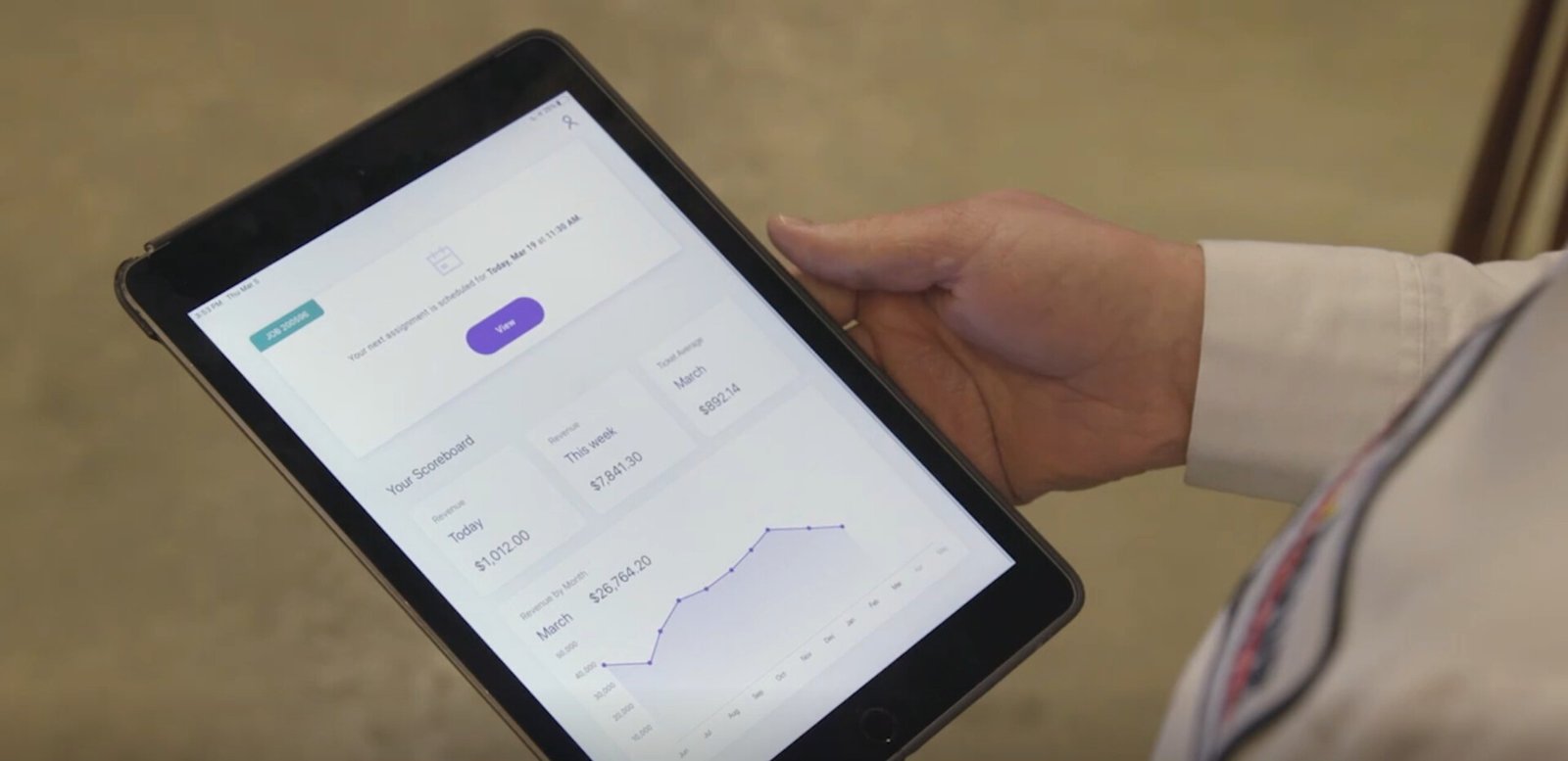
Successware Mobile (Technician App)
The app allows techs to:
- View dispatch details.
- Present flat-rate options.
- Take payments.
- Critique: It works, but it feels “clunky.” Adding photos or notes can take more steps than in Housecall Pro.
Inventory & Purchasing
You can generate Purchase Orders (POs) directly from a job.
- Example: A tech needs a specific motor. They request it in the app. The office turns that request into a PO to the vendor, tracks the delivery, and receives the bill—all linked to that specific customer job.
Integrations (Payments & API)
- Successware Payments: Their integrated processor. It offers competitive rates and ensures that when a card is swiped, the batch reconciles automatically with the bank deposit in the General Ledger.
- API: The new Platform 2.0 has an open API, allowing you to connect marketing tools or dashboards, though the ecosystem is smaller than ServiceTitan’s.
Successware vs. Competitors
Successware vs. ServiceTitan
- Choose ServiceTitan if you are “Marketing Driven.” You want the best features for acquiring new customers and tracking ad ROI.
- Choose Successware if you are “Finance Driven.” You want bulletproof books and operational efficiency above all else.
Successware vs. FieldEdge
- Choose FieldEdge if you want to keep using QuickBooks Desktop. It has the best sync.
- Choose Successware if you are ready to dump QuickBooks entirely and have an all-in-one system.
Frequently Asked Questions (FAQ)
Do I still need QuickBooks?
No. Successware handles all accounting, including payroll (often via integration), accounts payable, and financial reporting. You can cancel your QuickBooks subscription.
Is the 2.0 migration mandatory?
Eventually, yes. Successware is phasing out support for the legacy “Classic” (server-based) version. New customers start on 2.0.
Can it handle payroll?
It tracks time and commissions perfectly. For the actual check cutting and tax filing, it typically integrates with a payroll provider like ADP or Paychex, feeding them the hours and commission data.
Does it work for commercial work?
Yes, better than most. Because it handles “Progress Billing” and “AIA-style” accounting rules natively, it is a solid choice for commercial service contractors.
Is there a free trial?
No. Due to the complexity of the accounting setup, you must schedule a demo. Implementation is a guided process.