
In the field service industry, ServiceTitan is the 800-pound gorilla. It is the software used by the biggest names in HVAC, Plumbing, and Electrical.
But popularity comes with a price tag. ServiceTitan is often 3x to 5x more expensive than competitors like Housecall Pro or Jobber.
So the question isn’t “Is ServiceTitan good?” (It is objectively powerful). The question is: “Is it worth the money for your business?”
In our 2026 review, we analyze the features that justify this premium—like Marketing Pro ROI attribution and Nexstar pricebook integrations—to help you decide if you are ready to make the leap.
| Feature | Details |
|---|---|
| 🏆 Overall Rating | ⭐⭐⭐⭐⭐ (4.8 / 5.0) |
| 🎯 Best For | Enterprise Residential Service (HVAC, Plumbing, Elec) doing $2M+ in Revenue |
| 💰 Pricing Model | High / Enterprise (Platform Fee + Per Truck + Setup Fee) |
| ✅ The Pros |
|
| ❌ The Cons |
|
| 🛠 Support | Dedicated Success Manager, Phone, Academy |
| 🏁 Final Verdict | Visit ServiceTitan Website |
The Verdict: Powerful but Expensive
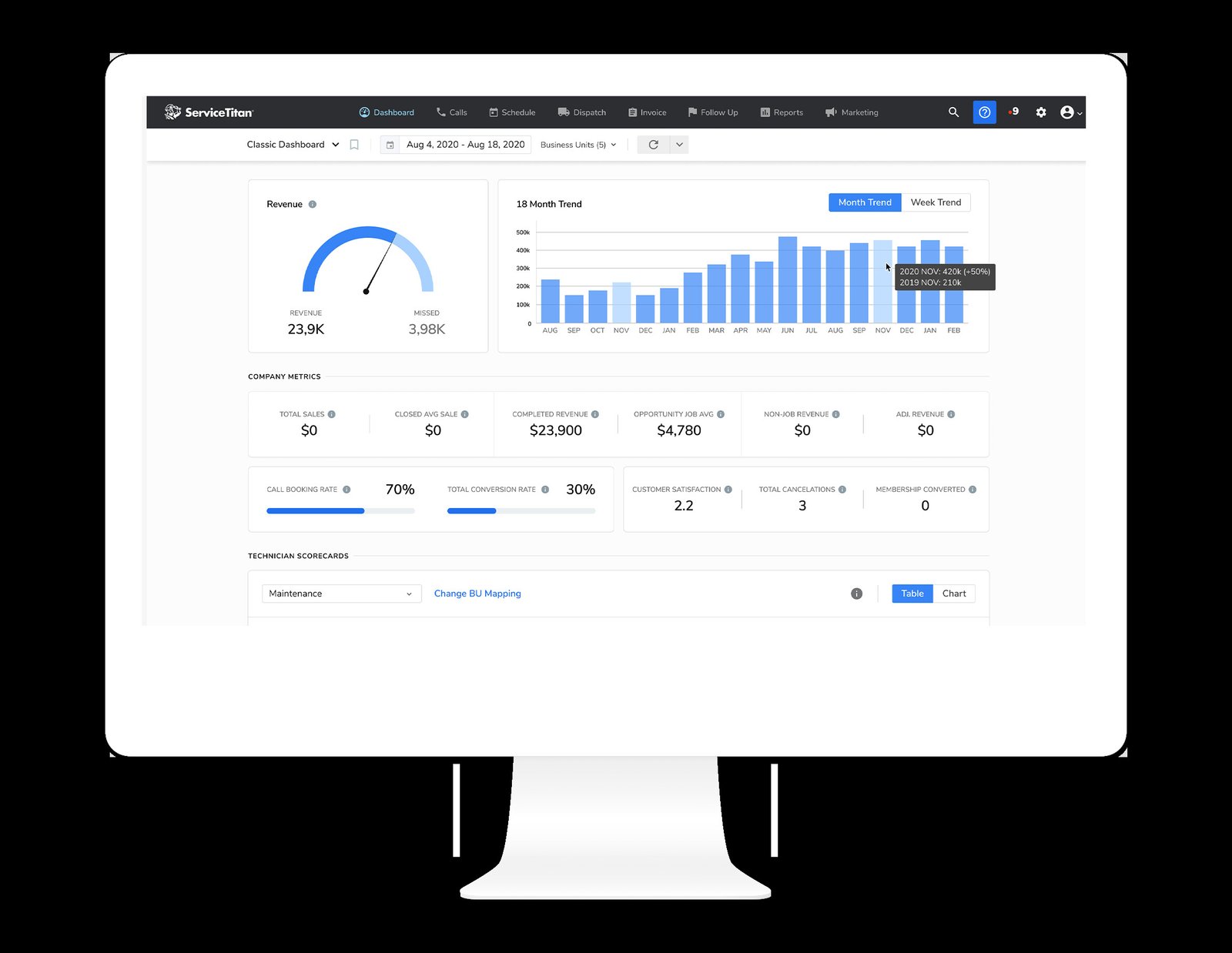
ServiceTitan is not just “dispatch software.” It is a complete Operating System (ERP) for home service businesses.
If you are frustrated that you can’t see exactly which Google Ad campaign generated $50k in revenue last month, ServiceTitan solves that. If you are tired of technicians forgetting to offer financing options, ServiceTitan solves that too.
However, if you just want to schedule jobs and get paid, using ServiceTitan is like driving a Formula 1 car to the grocery store: expensive, complicated, and overkill.
Overall Rating: 4.6 / 5.0
- Feature Depth: 5/5 (Unmatched in the industry)
- Reporting: 5/5 (CFO-level financial controls)
- Ease of Use: 3.5/5 (High learning curve)
- Onboarding: 4/5 (Painful but thorough)
- Value: 4/5 (High ROI for big shops, low ROI for small shops)
Best For vs. Not For
Best For:
- Large Residential Service: Companies with $2M+ revenue and 10+ trucks.
- Marketing-Driven Growth: Shops spending $10k+/month on ads who need ROI tracking.
- Call Centers: Businesses with dedicated CSRs needing scripts and booking rate tracking.
Not For:
- Small Businesses: If you have under 3 trucks, the overhead cost will crush your margins.
- Commercial Construction: It struggles with AIA billing and long-term project management (try FieldEdge instead).
Pros & Cons (The Real Deal)
| Pros (The “Wow” Factor) | Cons (The Pain Points) |
|---|---|
| Marketing Attribution: Tracks every dollar of revenue back to the specific keyword or mailer that generated the lead. | Price: It is the most expensive option on the market, period. |
| Sales Workflow: Forces technicians to present “Good/Better/Best” options, increasing ticket sizes. | Implementation Time: Expect 6 to 12 weeks of setup before you go live. |
| Phones Pro: Cloud-based phone system that records calls and transcribes them for training. | Complexity: You might need a full-time administrator just to manage the software. |
| Nexstar Integration: Native support for Nexstar and other best-practice pricebooks. | Contract: Strict annual contracts with no easy exit ramp. |
ServiceTitan Pricing (2026 Update)
ServiceTitan does not publish pricing. It is a sales-driven organization. However, based on widespread user reports and verified quotes in 2026, here is the reality.
Per-Tech Licensing & Tiers
You pay based on “Managed Technicians” (field users). Office users are often included or cheap.
- Starter: ~$150-$200 per tech/month. (Basic features, rarely recommended).
- Essentials: ~$250-$300 per tech/month. (Standard tier).
- The Works: ~$350+ per tech/month. (Includes Marketing Pro and Pricebook Pro).
The “White Glove” Onboarding Cost
You cannot set this up yourself.
- Implementation Fee: $2,000 – $15,000+.
- Why? A dedicated team migrates your data, sets up your general ledger codes, and trains your staff. It is expensive, but it ensures you don’t start with bad data.
Compare costs: Field Service Software Pricing Index
Not sure if you can afford this? Use our ROI Calculator to see how much time software could save you. And check other Free Tools & Calculators for Field Service Management.
Unique Features
Our research simulation highlighted advanced terms like “compliance forms” and “marketing attribution.” Here is why those matter.
Marketing Pro & ROI Attribution
Most software tells you “You got 50 calls.” ServiceTitan tells you:
“The ‘Summer Tune-Up’ Google Ad campaign cost $1,000, generated 12 calls, resulted in 8 booked jobs, and produced $14,500 in revenue.”
This clarity allows you to cut wasteful ad spend instantly.
Tech Compliance Forms (Workflow Enforcement)
Owners love this; lazy technicians hate it.
- You can configure the mobile app so a technician cannot close a job until they have uploaded a photo of the model number and captured a signature on the liability waiver.
- This “workflow enforcement” protects you from liability and ensures data accuracy.
Dynamic Pricebook & “Presentation Mode”
- Pricebook Pro: ServiceTitan offers a pre-built pricebook with thousands of images and descriptions (e.g., generic images for “Capacitor” or “Water Heater”).
- Presentation Mode: When the tech hands the tablet to the customer, the interface shifts to a clean, “sales-mode” view. It hides your margins and only shows the customer the “Gold/Silver/Bronze” options.
Core Operations Breakdown
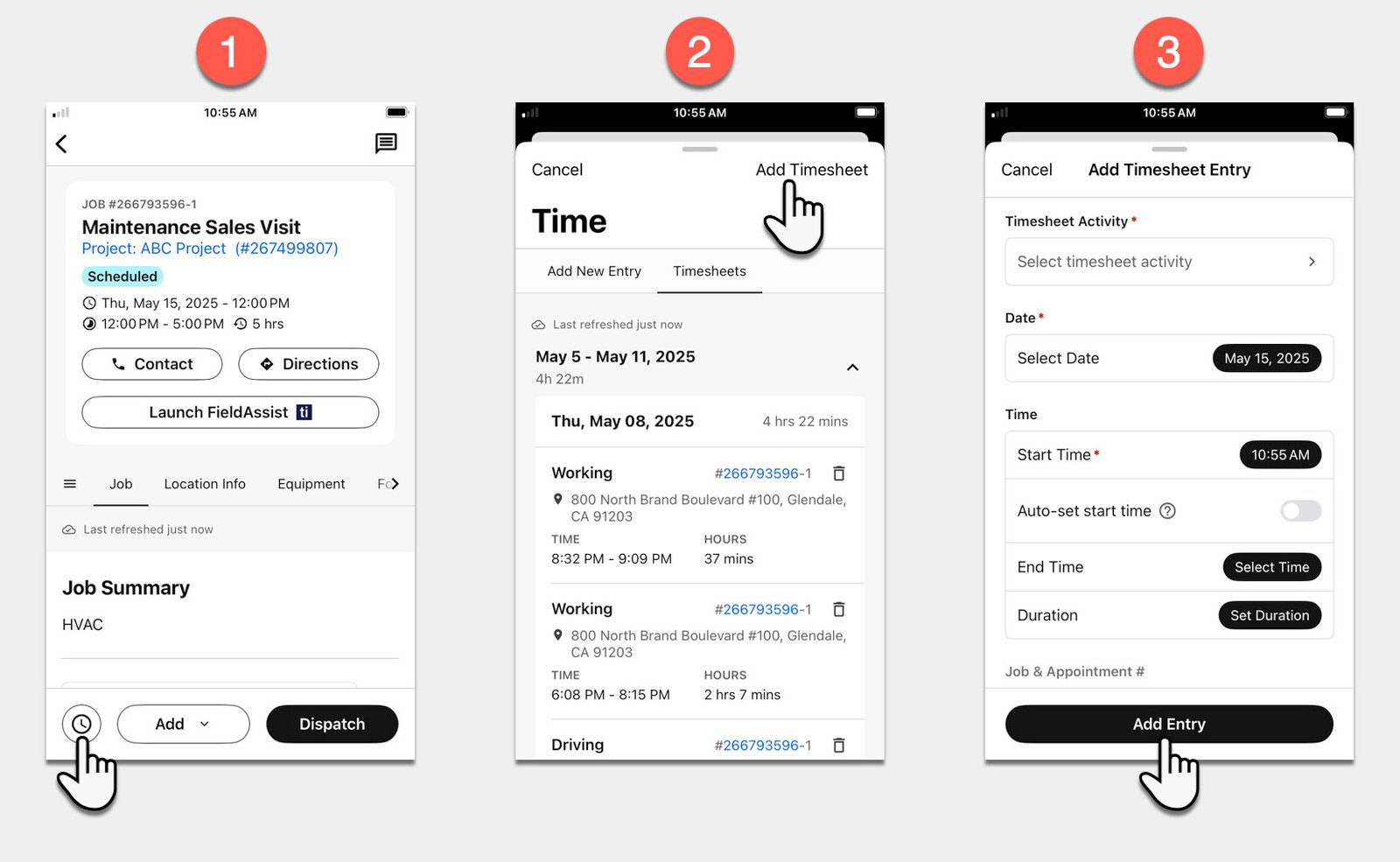
Call Center & Booking Rates
If you have CSRs answering phones, ServiceTitan gamifies their job.
- Booking Rate: It tracks what % of calls turn into jobs.
- Scripts: Pop-up scripts guide CSRs on what to say based on the customer’s problem (“Oh, your AC is making a noise? Is it a banging or a hissing?”).
Dispatch & Capacity Planning
The dispatch board is massive.
- Smart Dispatch: It suggests the best technician based on skill level, location, and recent sales performance.
- Capacity Planning: It prevents overbooking. You can set rules like “Reserve 2 slots tomorrow for high-value club members.”
- Deep Dive: Dispatch & Scheduling Software Guide
Membership & Deferred Revenue
For large shops, accounting for membership revenue is tricky.
- Deferred Revenue: If you collect $300 for a yearly plan, ServiceTitan correctly recognizes $25/month on your P&L, keeping your books GAAP compliant.
- Renewal Tracking: Automated campaigns chase expired credit cards, reducing churn.
Integrations (QuickBooks & Payments)
- QuickBooks: Supports Desktop (Enterprise/Premier) and Online. The integration is robust and handles “Class Tracking” perfectly for departmental reporting.
- ServiceTitan Payments: Their integrated processor. Rates are custom negotiated but generally competitive. Using it unlocks “Mobile Check Capture” (techs take a photo of a check to deposit it).
ServiceTitan offers a robust 2-way sync, but errors can happen. See our troubleshooting guide for QuickBooks sync issues.
ServiceTitan vs. Competitors
ServiceTitan vs. Housecall Pro
- Choose Housecall Pro if you are a growing shop (1-20 trucks) that needs speed and simplicity. It’s 20% of the cost and 80% of the features.
- Choose ServiceTitan if you need the “last 20%”—advanced ROI tracking, call center controls, and inventory warehousing.
ServiceTitan vs. Jobber
- Choose Jobber for ease of use. If you want to onboard a new office manager in 1 day, pick Jobber.
- Choose ServiceTitan for control. If you want to enforce strict workflows and reporting, pick ServiceTitan.
Frequently Asked Questions (FAQ)
Is the onboarding really 8 weeks?
Yes, often longer. This is not because the software is slow, but because ServiceTitan forces you to clean up your business processes (e.g., your pricebook, your GL codes) before you launch. It is a business transformation, not just a software install.
Can I turn off the required photos?
Yes, you can customize the forms. However, most successful owners want those requirements to ensure quality control.
Does it work for commercial service?
It is getting better. ServiceTitan has added “Service Agreements” for commercial accounts and “Parent/Child” account relationships. However, for heavy project-based construction, it is still not the best fit compared to FieldEdge or Procore.
What is Pricebook Pro?
It is an optional add-on service where ServiceTitan maintains your pricebook for you. They update the material costs based on regional averages, so you don’t have to manually update 5,000 items every month.
Is there a free trial?
No. You must request a demo. The sales process is consultative (and aggressive). Be prepared to share your P&L and growth goals with the rep.