
If you run a plumbing or landscaping business, stop reading now. This software is not for you. Go check out Jobber or Housecall Pro.
But if you run a Computer Repair Shop, Cell Phone Repair Store, or a Drone Repair Center, you know the struggle:
- Square POS handles payments but can’t track a repair ticket.
- Excel tracks repairs but doesn’t handle inventory.
- Sticky Notes get lost.
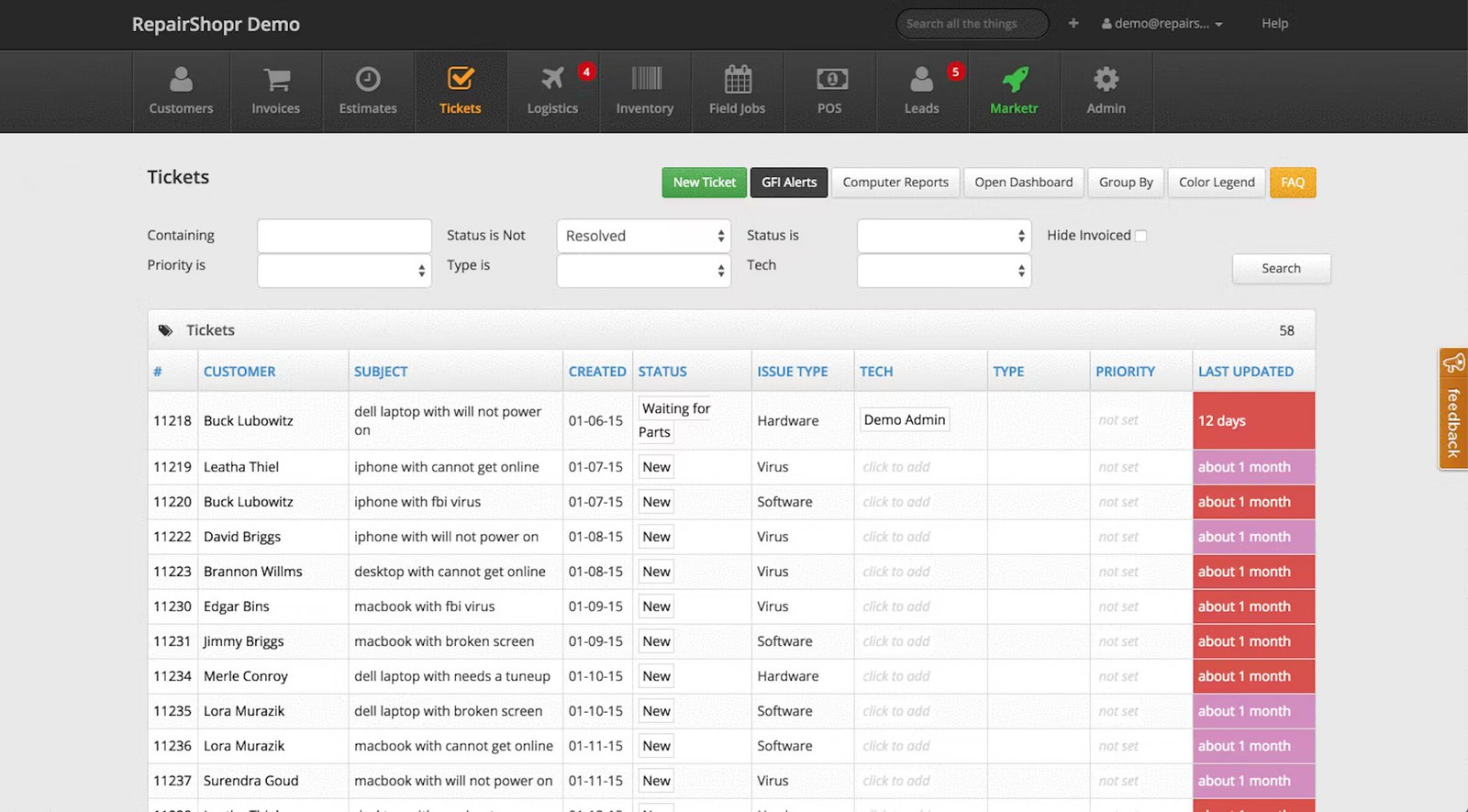
RepairShopr was built to solve this “Bench Chaos.” It creates a seamless flow from the moment a customer drops off a broken device (“Intake”) to the moment they pay (“POS”).
In our 2026 review, we analyze whether RepairShopr is still the king of break/fix software or if newer tools have overtaken it.
| Feature | Details |
|---|---|
| 🏆 Overall Rating | ⭐⭐⭐⭐☆ (4.4 / 5.0) |
| 🎯 Best For | IT Service & Repair Shops (Computer, Electronics, MSPs) |
| 💰 Pricing Model | Starts at ~$50/mo (Per user / location tiers) |
| ✅ The Pros |
|
| ❌ The Cons |
|
| 🛠 Support | Email, Knowledge Base, Ticket System |
| 🏁 Final Verdict | Visit RepairShopr Website |
The Verdict: A “Shop-First” Powerhouse
RepairShopr is an Operating System for your repair bench. It excels at managing complex inventory (like 50 different types of iPhone screens) and warranties (tracking which screen came from which vendor).
Its Field Service capabilities are secondary. If you are 90% shop and 10% field (e.g., occasional office IT visits), it works. If you are 90% field, it’s clunky.
Decision Snapshot: RepairShopr vs. Generic POS
| Feature | RepairShopr | Square / Clover |
|---|---|---|
| Intake Forms | Yes (Capture passwords, patterns) | No |
| Repair Tracking | Yes (Updates via SMS/Email) | No |
| Inventory | Advanced (Serialization, RMAs) | Basic (Qty only) |
| Payments | Integrated (via Stripe/Worldpay) | Built-in |
| Best For | Repair Shops | Coffee Shops / Retail |
Who Should Buy This?
- Electronics Repair: Phones, Tablets, Computers, Game Consoles.
- Watch & Jewelry Repair: Businesses that hold customer assets for days/weeks.
- IT Service Providers (Break/Fix): Shops that fix computers but don’t charge monthly managed service fees.
Who Should Avoid This?
- Pure MSPs: If you bill monthly for remote monitoring, use Syncro. It is RepairShopr + RMM tools combined.
- Mobile-Only Fleets: If you never touch the device in a shop, RazorSync has a better mobile workflow.
Pros & Cons (Real-World Testing)
| Pros (The “Wow” Factor) | Cons (The Pain Points) |
|---|---|
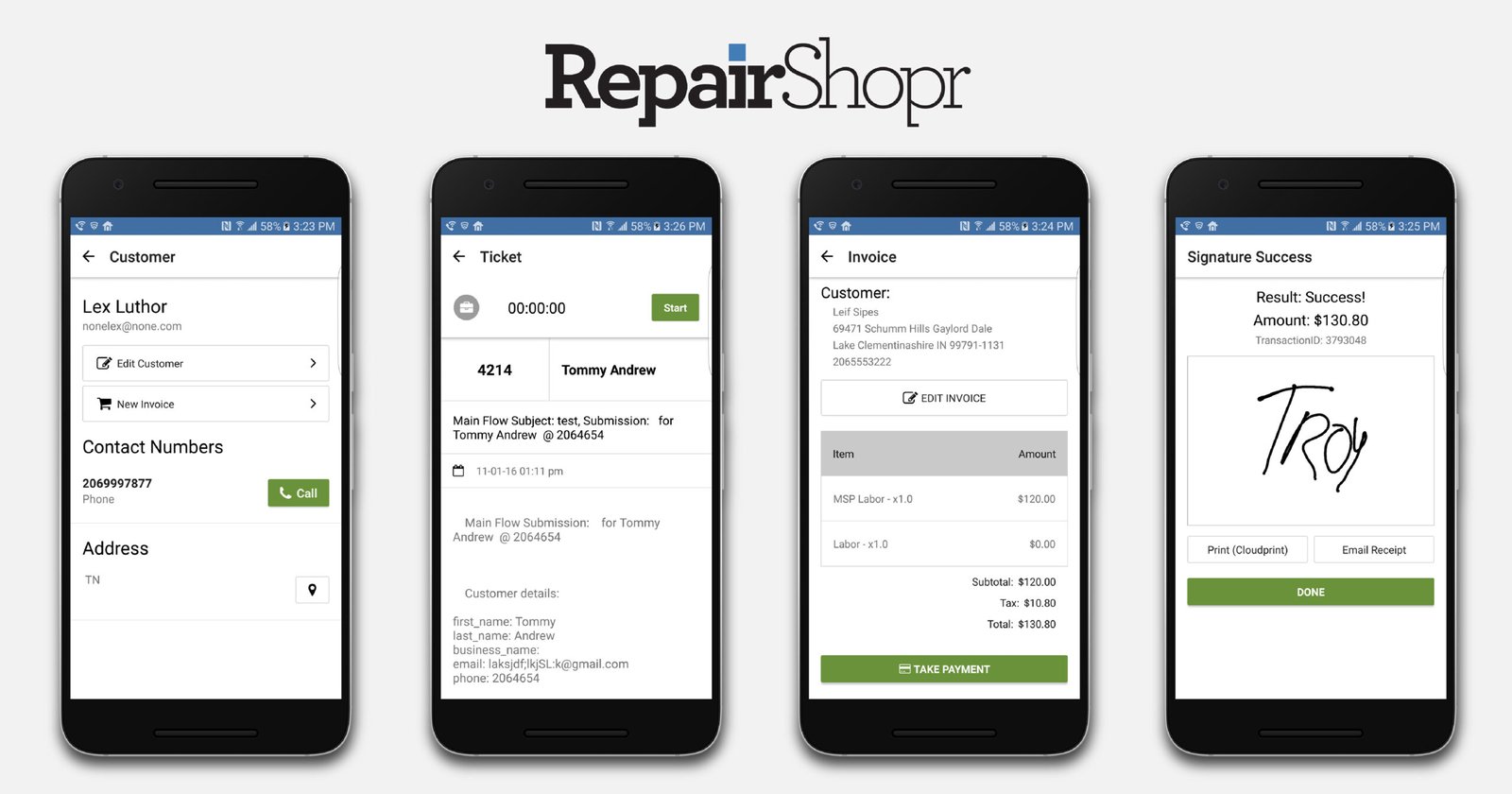
| Intake Workflow: Digital waiver signing and “pattern unlock” drawing tool directly on the intake form. | Mobile App UI: The technician app feels like a mobile website wrapper, not a native app. It’s functional but ugly. |
| RMA Management: Automates the return of defective parts to vendors like MobileSentrix. | Learning Curve: Setting up “Ticket Statuses” and “Canned Responses” takes time. |
| Hardware Support: Native integration with label printers (Dymo/Zebra) to print sticky labels for every device. | Not a CRM: It lacks advanced sales pipelines for B2B deal tracking. |
| Customer Portal: Clients can check their own repair status online, reducing “Is it ready?” calls. | Dispatching: Very basic calendar. No route optimization. |
RepairShopr Pricing (2026)
RepairShopr offers a transparent tiered model.
- Hobbyist: Free. (Very limited). Good for a solo tech working from a garage.
- Starter: ~$50/month. Basic ticketing.
- Repair Shop: ~$100/month. (Recommended) Adds Inventory, POS, White-labeling, and QuickBooks sync.
- Big Chain: ~$150+/month per location. For franchises managing multi-store inventory transfers.
Compare costs: Field Service Software Pricing Index
Unique Features (Information Gain)
Our analysis highlights features that solve specific “Repair Shop” headaches.
The Intake Workflow (Digital Signatures & Patterns)
When a customer drops off a shattered iPad:
- Check-in: Tech creates a ticket.
- Form: The system prompts: “Is data backed up?”, “What is the passcode?”
- Pattern Lock: There is a 3×3 grid on the screen where the customer draws their unlock pattern.
- Signature: Customer signs the “We are not responsible for data loss” waiver on a tablet.
- Label: A sticky label prints instantly to stick on the device.
Inventory & RMA (Managing Bad Parts)
Repair shops deal with high defective rates on parts.
- Serialization: You can track that this specific screen (Serial #123) went into that specific customer’s phone.
- RMA Workflow: If that screen fails in 2 weeks, you open an RMA in RepairShopr, which tracks the credit from the vendor.
The “Status Widget” (Cutting Phone Calls)
You can embed a “Check Repair Status” widget on your website.
- Customer enters their Ticket Number and Last Name.
- They see: “Current Status: Waiting on Parts. Estimated Completion: Friday.”
- Result: This cuts front-desk phone volume by ~30%.
Hardware & POS Compatibility
Don’t buy hardware until you read this. RepairShopr relies on PrintNode for seamless printing.
- Receipt Printers: Star Micronics (TSP100 series) or Epson (TM-T88).
- Label Printers: Dymo LabelWriter 450/550 or Zebra ZD series. (Critical for printing asset tags).
- Barcode Scanners: Almost any USB scanner works (Honeywell, Socket Mobile).
- Cash Drawers: Any standard drawer connected to the Star/Epson printer.
Core Operations Breakdown
Marketr (Automated Follow-ups)
This built-in tool drives repeat business.
- Campaign: “30 Days Since Virus Removal.”
- Action: Send email: “Hi [Name], just checking if your PC is still running fast? Click here to leave us a review.”
- Campaign: “12 Months Since Battery Replacement.”
- Action: Send SMS: “Your battery warranty is ending soon. Come in for a free check.”
Field Service Dispatching (The Limitations)
You can schedule on-site jobs.
- The dispatcher converts a “Ticket” into an “Appointment.”
- The tech sees it on the mobile app.
- Missing: No live GPS tracking of the van. No “On My Way” SMS with a map link.
Implementation Checklist
7-Day “Bench-Ready” Plan
- Day 1: Set up PrintNode and connect your Label/Receipt printers.
- Day 2: Customize your “Intake Form” (add fields for Password, Accessories).
- Day 3: Import Inventory from CSV (Assign barcodes/UPCs).
- Day 4: Set up Tax Rates and QuickBooks Integration.
- Day 5: Configure “Ticket Statuses” (e.g., New, Diagnosing, Waiting for Customer, Ready).
- Day 6: Embed the “Status Widget” on your website.
- Day 7: Run a mock repair: Intake -> Label -> Repair -> Payment.
RepairShopr vs. Competitors
RepairShopr vs. Square POS
- Choose Square if you are a coffee shop or retail store selling finished goods.
- Choose RepairShopr if you perform services on customer-owned devices. Square cannot track “The status of the laptop on the bench.”
RepairShopr vs. Syncro
- Choose RepairShopr if you are “Break/Fix.” The customer calls you when something breaks.
- Choose Syncro if you are an “MSP.” You install software on 100 computers to monitor them remotely and bill monthly. Syncro includes RepairShopr features.
Frequently Asked Questions (FAQ)
Does it integrate with MobileSentrix?
Yes. You can browse the MobileSentrix catalog inside RepairShopr, import parts, and create Purchase Orders. It saves hours of data entry.
Can I use my own payment processor?
RepairShopr integrates with RepairShopr Payments (powered by Worldpay), Stripe, Square, and PayPal. Using their native payments often simplifies the POS flow.
Does it handle “boulk” repairs (e.g., 50 school laptops)?
Yes. The “Bulk Tickets” feature allows you to check in 50 devices at once, assign them unique asset tags, and bill them to a single school district invoice.
Is the mobile app good for field techs?
It is passable. It allows techs to view tickets, add notes, and take photos. However, it lacks the slick UI and offline robustness of tools like RazorSync.
Can I sell phones on installment plans?
Yes, using the “Layaway” feature or by creating recurring invoices.
Does it print barcode labels?
Yes. This is a core feature. You stick a label on the device immediately upon intake. This label can be scanned later to pull up the ticket instantly.
Can I migrate from Excel?
Yes. The import tools for Customers, Inventory, and Tickets are robust.