
In the crowded market of Field Service Management (FSM) software, most tools fight for the same customers: plumbers, HVAC techs, and electricians. They all offer dispatching and quoting. But what if your business is different?
What if you run an IT Service company that manages servers? Or a Mechanical Repair shop that tracks thousands of spare parts in a warehouse?
Enter RazorSync.
RazorSync has quietly carved out a niche as the “inventory-first” FSM platform. While giants like ServiceTitan focus on sales psychology, RazorSync focuses on operational rigor—tracking parts, assets, and technician time down to the second.
In our 2026 review, we put RazorSync to the test to see if its robust inventory features make up for its slightly dated interface.
| Feature | Details |
|---|---|
| 🏆 Overall Rating | ⭐⭐⭐⭐☆ (4.0 / 5.0) |
| 🎯 Best For | Budget-Conscious HVAC & Plumbing who need Inventory Management |
| 💰 Pricing Model | Starts at ~$85/mo (Tiered pricing) |
| ✅ The Pros |
|
| ❌ The Cons |
|
| 🛠 Support | Phone, Email, Ticket System |
| 🏁 Final Verdict | Visit RazorSync Website |
The Verdict: A Hidden Gem for Repair Shops
RazorSync is not the flashiest software. You won’t find AI-generated marketing emails or fancy “Good/Better/Best” proposal widgets here.
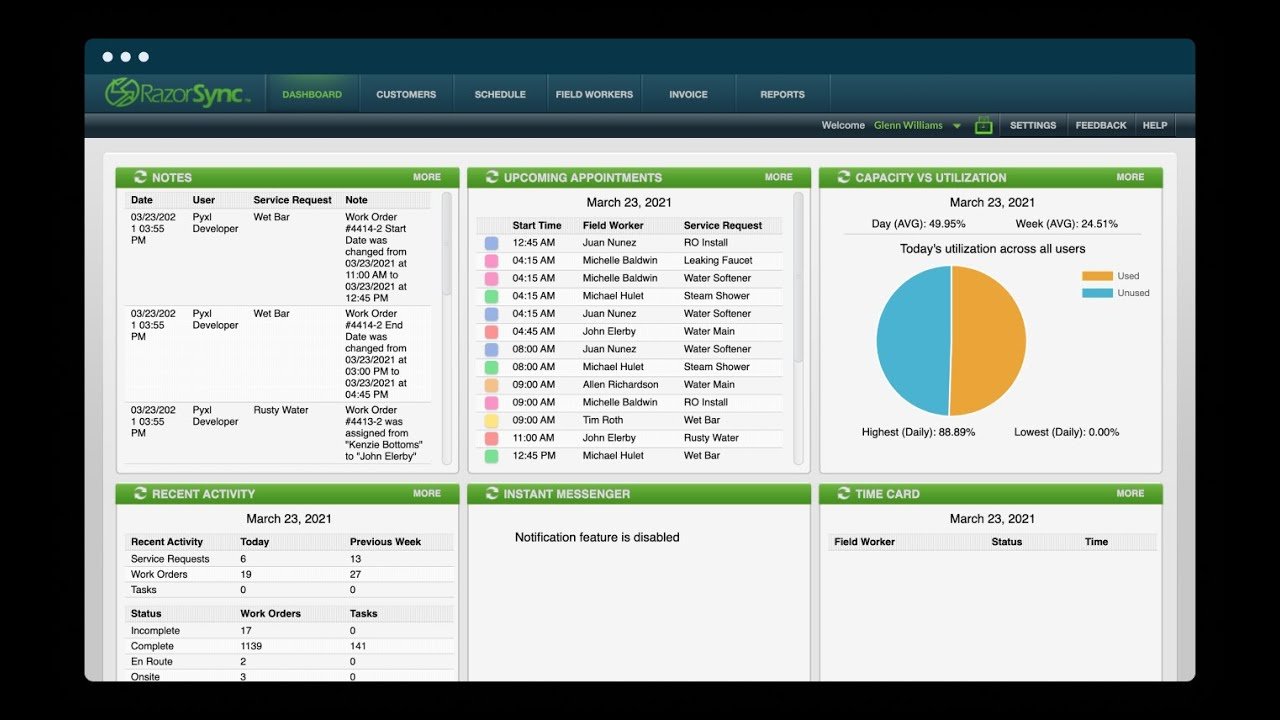
Instead, you find a workhorse. It is built for businesses where data accuracy is king. If you need to know exactly which serial number was installed at a client site 3 years ago, RazorSync is brilliant. If you just want to book a lawn mowing job quickly, it’s overkill.
Overall Rating: 4.0 / 5.0
- Inventory Management: 5/5 (Best in Class for SMBs)
- Mobile App: 4.5/5 (True Offline Capability)
- Ease of Use: 3.5/5 (Steep learning curve)
- QuickBooks Sync: 4/5 (Solid, supports Desktop & Online)
- Value: 4/5 (Competitive pricing)
Best For vs. Not For
Best For:
- IT & Computer Repair: Perfect for tracking assets and recurring maintenance tickets.
- Mechanical Repair Shops: Great for businesses with a physical shop + field techs.
- Inventory-Heavy Trades: If you carry 500+ SKUs in your van, this handles it.
Not For:
- Sales-Driven HVAC: It lacks the visual sales proposal tools of Housecall Pro.
- Solo Cleaners/Landscapers: Too complex. Jobber is a better fit.
Pros & Cons (Real-World Testing)
| Pros (What We Love) | Cons (The Frustrations) |
|---|---|
| Inventory Control: Tracks stock levels across multiple warehouses and trucks effortlessly. | Dated UI: The desktop dashboard feels like software from 2018. Functional, but not pretty. |
| True Offline Mode: The app downloads the entire database. You can work for days without signal. | Reporting: Standard reports are good, but customizing them is clunky compared to ServiceTitan. |
| Tiered Pricing: Flexible plans for solo users vs. teams. | Setup: Importing a large inventory list can be tricky without support. |
| Asset Management: Tracks equipment history (make, model, serial) better than almost anyone. | Limited Marketing: No built-in postcard or email marketing automation. |
RazorSync Pricing (2026)
RazorSync offers a transparent pricing model, which we love. You don’t have to call a salesperson to get a quote.
- Solo Plan: ~$55/mo. (1 user). Includes unlimited customers and invoicing.
- Team Plan: ~$145/mo. (2 users + office). Adds inventory management and QuickBooks sync.
- Pro Plan: ~$300+/mo. (Unlimited users/storage). Adds advanced reporting and route optimization.
- Note: Prices are estimates based on 2026 annual billing.
Is the Free Trial Worth It?
Yes. RazorSync offers a 14-day free trial with no credit card required. This is rare in the industry. We highly recommend using this trial to test the mobile app specifically. Load your pricebook and see how fast you can find a part in offline mode.
- Compare prices: Field Service Software Pricing Index
Core Features Breakdown
Inventory & Warehouse Management (The Star Feature)
Most FSM tools treat inventory as an afterthought. RazorSync puts it front and center.
- Multi-Location: You can track stock in “Warehouse A,” “Van 1,” and “Van 2” separately.
- Low Stock Alerts: Set a threshold (e.g., “Alert me when we have fewer than 5 capacitors”). The system emails the office manager to reorder.
- Barcoding: Techs can scan a barcode on a part to add it to an invoice instantly. This eliminates the “I forgot to bill for that filter” problem.
Dispatching & Map View
The dispatch board is functional but dense.
- Drag-and-Drop: You can move jobs between techs easily.
- Map View: Shows technician locations (via mobile GPS) and job clusters. It helps you assign the nearest tech to an emergency.
- Deep Dive: Dispatch & Scheduling Software Guide
The Mobile App (True Offline Mode)
We tested the app in “Airplane Mode” to simulate a basement or server room.
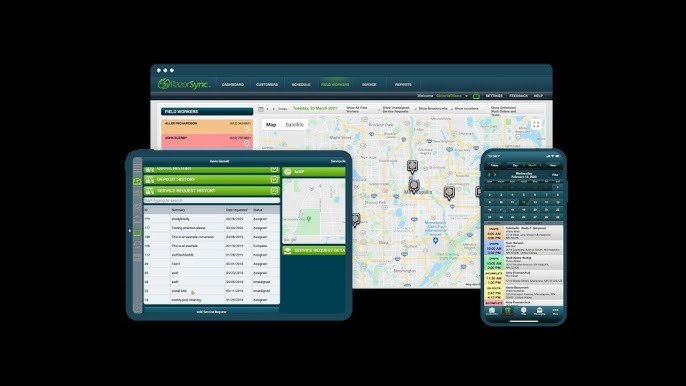
- Performance: It was flawless. Because it downloads the database to the device, searching for a customer or part is instant—zero loading spinners.
- Forms: You can build custom checklists (e.g., “Server Maintenance Protocol”) that techs must fill out before closing a job.
- Deep Dive: Technician Mobile App Features
Customer Portal & Invoicing
RazorSync provides a customer portal where clients can log in to view past invoices and service history.
- Invoicing: Creating an invoice is fast. You can convert a quote to a work order, and a work order to an invoice with one click.
- Signatures: Capture customer signatures on the tablet immediately.
- Deep Dive: Invoicing & Payments Software Guide
Integrations Analysis
QuickBooks (Desktop & Online)
RazorSync is one of the few cloud-based apps that still supports QuickBooks Desktop robustly.
- The Sync: It syncs customers, invoices, and inventory items. If you use QBD for your heavy accounting, this is a major plus.
- QuickBooks Online: The sync is seamless and real-time.
- Deep Dive: QuickBooks Integration Guide
Stripe & Payment Processing
RazorSync integrates with Stripe to allow credit card processing in the field.
- Rates are standard Stripe fees (usually ~2.9% + 30¢).
- You can also send a “Pay Now” link on the invoice email.
RazorSync vs. Competitors
RazorSync vs. Jobber
- Choose RazorSync if you have complex inventory (parts, serial numbers) or work in IT/Repair.
- Choose Jobber if you are a service-only business (Cleaning, Landscaping) and want the easiest possible user interface.
RazorSync vs. Housecall Pro
- Choose RazorSync if you need offline reliability and warehouse tracking.
- Choose Housecall Pro if you are a residential plumber/HVAC tech who needs to sell “options” and automate marketing postcards.
Who Should Buy RazorSync?
If you find yourself saying, “My current software is great for scheduling but terrible at tracking my parts,” then RazorSync is for you.
It bridges the gap between simple dispatch apps and massive Enterprise Resource Planning (ERP) systems. It gives small-to-mid-sized businesses enterprise-grade control over their stock without the enterprise price tag.
Frequently Asked Questions (FAQ)
Does RazorSync work on iPhone and Android?
Yes, the mobile app is available and highly rated on both the Apple App Store and Google Play Store. The features are identical on both platforms.
Can I track technician time for payroll?
Yes. RazorSync has a built-in time clock. Techs clock in/out on the app, and the system tracks travel time vs. billable job time. You can export this data for payroll.
Is there a limit to how many items I can have in my pricebook?
Practically, no. We have seen users with thousands of SKUs. The offline sync might take a few minutes longer if you have a massive database, but the system handles it well.
Does it support service agreements?
Yes. You can create recurring service notes and contracts. However, the automated billing for memberships is not as “set-it-and-forget-it” as Housecall Pro’s system.
How is the customer support?
RazorSync offers US-based support. Users generally report quick response times, especially for the “Pro” tier plans which often get priority handling.