
Most field service software is built to organize your business—scheduling jobs, tracking trucks, and sending PDF invoices.
Housecall Pro is built to grow your revenue.
While it handles dispatching perfectly well, its true superpower is its Sales Proposal Tool. For residential HVAC, Plumbing, and Electrical businesses, the ability to present “Good-Better-Best” options on an iPad is the difference between a $500 repair and a $5,000 system replacement.
If you are a residential service contractor looking to modernize your customer experience and increase your average ticket size, Housecall Pro is arguably the best value-for-money platform on the market. However, it is not for everyone—specifically heavy commercial contractors or those loyal to QuickBooks Desktop.
In this deep-dive review, we analyze Housecall Pro’s pricing, its “sales engine” capabilities, and how it stacks up against competitors like Jobber and ServiceTitan.
Quick Definitions
Good-Better-Best (GBB): A sales psychology technique where you present three options (e.g., Bronze, Silver, Gold) to a homeowner. This empowers the customer to choose, often leading them to the middle or high option rather than just “fixing it.”
Visual Pricebook: A digital menu of your services with images and descriptions, used by technicians to build quotes quickly in the field.
Pipeline: A visual board that tracks where every potential job is in the sales process (e.g., “Draft,” “Sent,” “Viewed,” “Approved”).
Wisetack: An integrated “Buy Now, Pay Later” financing tool that allows homeowners to pay for expensive jobs in monthly installments, while you get paid upfront.
Superpro: Housecall Pro’s community of power users. Achieving “Superpro” status often unlocks premium support tiers and networking perks.
| Feature | Details |
|---|---|
| 🏆 Overall Rating | ⭐⭐⭐⭐⭐ (4.8 / 5.0) |
| 🎯 Best For | Residential Service Companies focused on Sales & Growth |
| 💰 Pricing Model | Starts at $65/mo (Tiered: Basic, Essentials, Max) |
| ✅ The Pros |
|
| ❌ The Cons |
|
| 🛠 Support | Live Chat, Phone, Facebook Community |
| 🏁 Final Verdict | Visit Housecall Pro Website |
Core Features: Why It’s More Than Just a Calendar
Housecall Pro covers all the basics of dispatch and scheduling, but its “Pro” features are what justify the subscription cost.
1. The Sales Proposal Tool (The “Money Maker”)
This is the primary reason to choose Housecall Pro over cheaper alternatives. Instead of emailing a boring text estimate, your technician uses the iPad app to build a Visual Proposal.
- Tiered Options: You can easily create multiple option columns.
- Visual Appeal: Add photos of the specific faucet, water heater, or thermostat you plan to install.
- Consumer Financing: If the total is high (e.g., $8,000), the system automatically displays a “As low as $150/mo” financing option via Wisetack.
Related: See how this compares to other sales proposal software features.
2. Marketing Automation
Housecall Pro acts like a “Set it and Forget it” marketing machine.
- Automated Reviews: After a job is marked “Finished,” the system automatically texts the customer a link to leave a Google or Facebook review.
- Postcard Retargeting: You can set rules like, “If a customer hasn’t booked in 6 months, send them a physical postcard with a $20 discount.” Housecall Pro prints and mails these automatically.
- SMS & Email Campaigns: Keep your database warm with seasonal reminders (e.g., “Time for your Spring Tune-up”). Learn more about customer communication.
3. The “Uber-Like” Customer Experience
Housecall Pro excels at making your small business look like a tech giant.
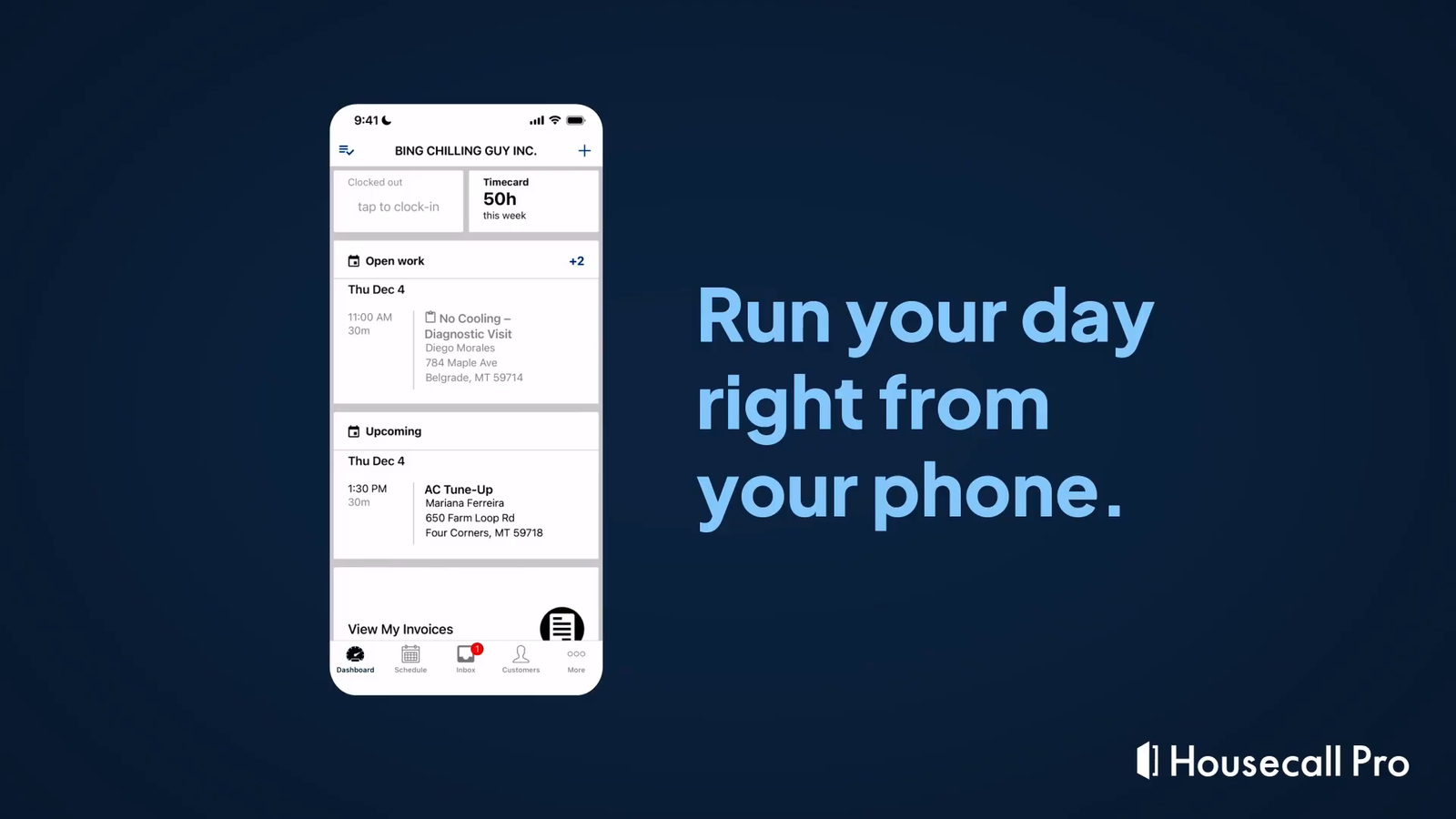
- “On My Way” Texts: Customers receive a text when the tech is en route, complete with a photo of the technician and a live map tracker.
- Online Booking: A slick widget you can embed on your website that allows customers to book real-time slots (that you control).
- Instapay: If cash flow is tight, you can cash out your credit card earnings instantly (for a 1% fee) rather than waiting the standard 2 days.
Comparison: Housecall Pro vs. The Field
How does it stack up against the other giants?
Table 1: Housecall Pro vs. Competitors
| Feature | Housecall Pro | Jobber | ServiceTitan |
|---|---|---|---|
| Best For | Residential Sales (1-20 Trucks) | Speed & Simplicity (1-10 Trucks) | Enterprise Growth (20+ Trucks) |
| Sales Proposals | Excellent (Visual GBB) | Good (Optional Line Items) | Excellent (Visual GBB) |
| Setup Cost | $0 (DIY) | $0 (DIY) | $5k – $50k (Managed) |
| Financing | Native (Wisetack) | Integrated (Wisetack) | Integrated (GreenSky/Various) |
| Commercial Billing | Weak (No AIA/Retainage) | Weak | Limited (Progressive) |
| Mobile App | 10/10 (Intuitive) | 10/10 (Simple) | 8/10 (Complex) |
Housecall Pro vs. Jobber
If you just want to “get the job done” quickly, Jobber vs Housecall Pro is the debate. Jobber is faster and simpler. Housecall Pro is better if you want to sell. If your techs need to upsell equipment, pick Housecall Pro.
Housecall Pro vs. ServiceTitan
ServiceTitan is the “big brother” version of Housecall Pro. It does everything HCP does but with deeper reporting, inventory, and inventory controls. However, ServiceTitan costs 5x as much and requires a contract. For many shops, Housecall Pro is the perfect “stepping stone” before they reach 20 trucks. See our ServiceTitan vs Housecall Pro comparison.
Pricing & Hidden Costs: The “Max” Plan Reality
Housecall Pro offers tiered pricing, and it is crucial to understand what is locked behind higher tiers.
- Basic Plan: Great for a solo operator. Includes scheduling, dispatching, and simple invoicing.
- Essentials Plan: Adds QuickBooks Online sync and basic reporting.
- MAX Plan: This is where the power features live. To get the Sales Proposal Tool, Expense Management, and API Access, you typically need to be on the Max plan.
Warning: When comparing prices, ensure you are quoting the “Max” plan if you intend to use the visual sales features. The entry-level price often seen in ads ($49-$69/mo) does not include the advanced sales tools.
Not sure if you can afford this? Use our ROI Calculator to see how much time software could save you. And check other Free Tools & Calculators for Field Service Management.
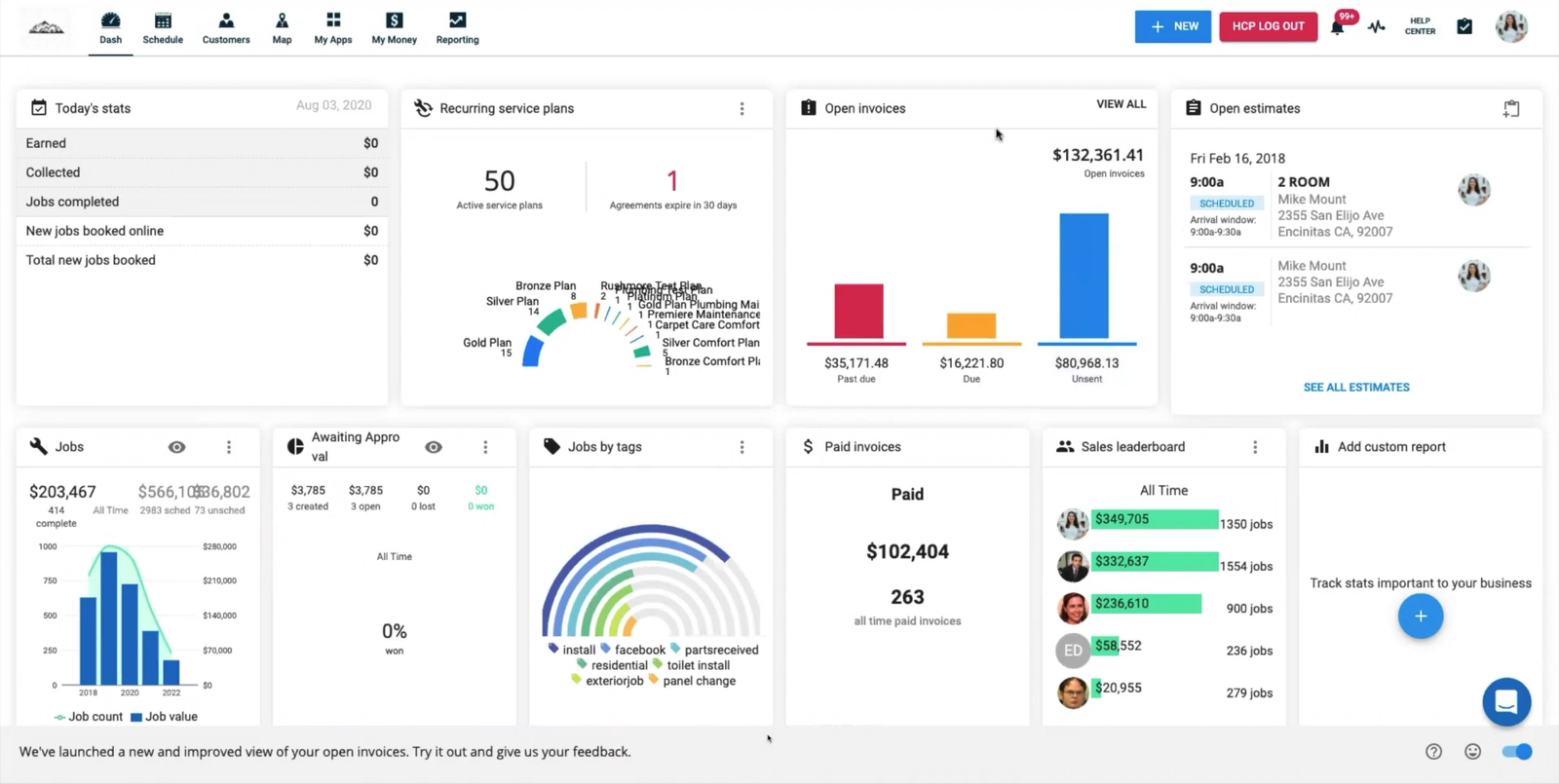
Workflow: The Perfect Sales Call
Here is how a typical workflow looks for an HVAC business using Housecall Pro:
- Booking: Customer books a “System Tune-up” via your website widget.
- Dispatch: Admin drags the job to “Technician Steve.” Steve gets a push notification.
- Arrival: Steve taps “On My Way.” Customer gets a text with Steve’s photo.
- Diagnosis: Steve inspects the unit. It’s old.
- Proposal: Steve opens the iPad. He presents 3 options:
- Bronze: Repair ($400)
- Silver: Replace with Standard Unit ($4,500)
- Gold: High-Efficiency Unit + WiFi Stat ($6,800)
- Financing: Customer wants Gold but doesn’t have cash. Steve taps “Finance with Wisetack.” Customer is approved in 30 seconds on their own phone.
- Signature: Customer signs the iPad.
- Completion: Job done. Invoice sent. 2 days later, customer gets an automated text asking for a Google Review.
Common Pitfalls & Limitations
1. QuickBooks Desktop is a struggle.
Housecall Pro is a “Cloud First” company. Its integration with QuickBooks Online is fantastic. Its integration with QuickBooks Desktop (via a web connector import file) is clunky and often manual. If you are die-hard QB Desktop, look at FieldEdge instead.
2. Not for Commercial Construction.
If you need to do AIA billing (G702), progress claims, or retainage tracking for General Contractors, Housecall Pro will fail you. It is built for “Service & Replacement,” not long-term construction projects. For that, you need Simpro.
3. Inventory is “Light.”
While HCP has improved its inventory tracking (including truck stock), it lacks the multi-warehouse PO management and vendor catalog imports of an enterprise tool like ServiceTitan.
Decision Checklist: Is Housecall Pro Right for You?
- [ ] Are you Residential? (Yes = Good fit).
- [ ] Do you use QuickBooks Online? (Yes = Great fit).
- [ ] Is your goal to increase ticket size? (Yes = The Proposal tool is essential).
- [ ] Do you have fewer than 30 technicians? (Yes = Sweet spot).
- [ ] Do you do heavy commercial construction? (Yes = Avoid, use Simpro).
FAQ: Housecall Pro Review
How much does Housecall Pro really cost?
Housecall Pro pricing is tiered. While entry-level plans often start around $65/month/user (billed annually), the “Max” plan—which includes the advanced Sales Proposal tool and integrations—can cost significantly more ($150+/month range). Always check their pricing page for the latest offers.
Is the Sales Proposal tool included in the basic plan?
Generally, no. The visual “Good-Better-Best” proposal features are usually reserved for the “Essentials” or “Max” tiers. The Basic plan includes standard line-item estimates.
Does Housecall Pro integrate with QuickBooks Desktop?
Technically yes, but it is not a live, two-way sync like it is with QuickBooks Online. It typically requires an importer tool and can be manual. We strongly recommend Housecall Pro for QuickBooks Online users.
What financing company does Housecall Pro use?
Housecall Pro integrates natively with Wisetack. This allows you to offer consumer financing directly on the invoice or proposal, with decisions made in seconds without the homeowner leaving the app.
Is Housecall Pro better than Jobber for HVAC?
For Sales, yes. Housecall Pro’s visual proposal tool is superior for presenting equipment options (Good-Better-Best). For Speed, Jobber is often faster for simple maintenance workflows. Read our Jobber vs Housecall Pro comparison for more.
Does Housecall Pro have a free trial?
Yes, Housecall Pro typically offers a 14-day free trial. This allows you to test the technician mobile app and web portal before committing.
Can I track inventory in Housecall Pro?
Yes, Housecall Pro has an inventory module that tracks parts, truck stock, and low-stock alerts. It is sufficient for most residential service businesses but less robust than ServiceTitan’s multi-warehouse system.
Why should I choose Housecall Pro over ServiceTitan?
Price and Simplicity. Housecall Pro has no setup fee (vs ServiceTitan’s $5k+), no long-term contract on lower tiers, and is much easier to learn. It provides 80% of ServiceTitan’s power for 20% of the cost. Check ServiceTitan alternatives for other options.
What is the “Superpro” community?
Superpro is Housecall Pro’s advocacy program. Users who demonstrate high usage and reliability earn the “Superpro” badge, which grants access to a private Facebook community, priority support, and exclusive beta features. It is considered one of the most valuable “hidden features” of the platform for mentorship.
Sources
- Housecall Pro Pricing (Verified Jan 2026) – https://housecallpro.com/pricing
- Wisetack Financing Integration (Verified Jan 2026) – https://housecallpro.com/fintech
- G2 Reviews: Housecall Pro (Verified Jan 2026) – User sentiment on “Ease of Use” vs “Support.”
- Capterra Profile (Verified Jan 2026) – QuickBooks Online sync ratings.