
Most field service software falls into one of two traps:
- It is too simple and rigid (you can’t change anything).
- It is too complex and expensive (you need a PhD to use it).
FieldPulse aims for the middle ground. It markets itself as the “hub” for your business—powerful enough to handle complex workflows but designed with a mobile-first philosophy that technicians actually like.
In our 2026 review, we went beyond the basic features. We looked for the specific operational details—like custom fields and sub-status workflows—that actually solve headaches for growing contractors.
The Verdict: Best for “Control Freaks”
We mean “Control Freak” as a compliment. If you are the type of business owner who wants to track not just if a job is “Done,” but specifically if it is “Done – Waiting on Parts” or “Done – Ready for Invoice,” FieldPulse is your tool.
Unlike competitors that force you into their box, FieldPulse lets you build the box.
| Feature | Details |
|---|---|
| 🏆 Overall Rating | ⭐⭐⭐⭐⭐ (4.6 / 5.0) |
| 🎯 Best For | Growing Service Businesses (1-20 Users) who need Custom Workflows |
| 💰 Pricing Model | Starts at $99/mo (Flat fee + per user pricing) |
| ✅ The Pros |
|
| ❌ The Cons |
|
| 🛠 Support | Live Chat, Phone, dedicated onboarding |
| 🏁 Final Verdict | Visit FieldPulse Website |
Overall Rating: 4.3 / 5.0
- Customization: 5/5 (Industry Leader for SMBs)
- Mobile App: 4.5/5 (Fast and intuitive)
- Support: 4.5/5 (US-based, highly responsive)
- Reporting: 3.5/5 (Good, but could be deeper)
- Value: 4/5 (Per-user pricing scales well)
Best For vs. Not For
Best For:
- Growing Trades (3–20 Techs): Companies that have outgrown simple apps but aren’t ready for ServiceTitan.
- Mixed Workflows: Businesses that do both installation (long jobs) and service (short jobs).
- Tech-Savvy Owners: If you like using Zapier or customizing data fields, you will love this.
Not For:
- Enterprise (50+ Techs): Lacks advanced inventory warehousing and complex call center routing.
- QuickBooks Desktop Users: Integration is possible but clunkier than FieldEdge.
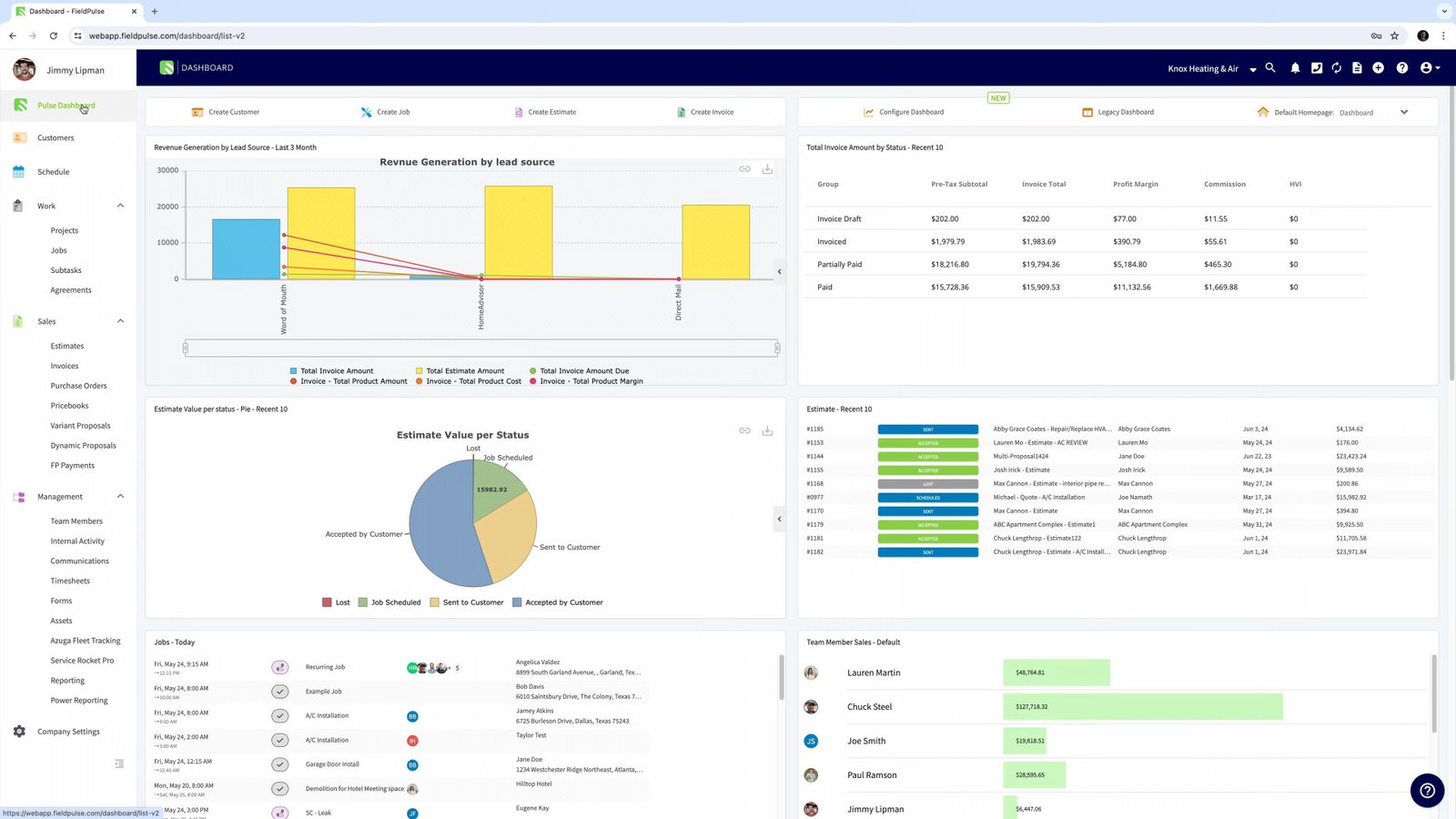
Pros & Cons (Hands-On Testing)
| Pros (What We Love) | Cons (The Frustrations) |
|---|---|
| Custom Fields: You can add a specific data field (e.g., “Gate Code” or “Filter Size”) to any job or customer record. | Web Dashboard: The office view feels a bit like a mobile app stretched to a desktop screen. |
| Sub-Status Workflows: Granular control over job stages (e.g., “In Progress” -> “Testing Equipment”). | Inventory: Basic part tracking exists, but it’s not a full warehouse management system. |
| Variant Proposals: Built-in tool to offer “Good, Better, Best” options without needing third-party addons. | No Native Payroll: You will need to export timesheets to Gusto or QuickBooks. |
FieldPulse Pricing (2026)
FieldPulse uses a transparent per-user pricing model. This is great for small teams because you don’t pay a massive flat fee.
- Standard Plan: Approx. $65/month for the first user.
- Additional Users: Approx. $20/month per additional user.
- Add-ons: Features like “Recurring Service” or “Booking Portal” may have small additional costs depending on the bundle.
- Free Trial: They offer a 7-day free trial (sometimes extended to 14 days) to test the system.
Compare this to others: Field Service Software Pricing Index
Not sure if you can afford this? Use our ROI Calculator to see how much time software could save you. And check other Free Tools & Calculators for Field Service Management.
Unique Features
Our research simulation highlighted that users often search for “custom workflows” and “hiding prices from techs.” Here is how FieldPulse handles those little-known needs.
Custom Fields & “Sub-Status” Workflows
This is FieldPulse’s superpower.
- Custom Fields: Let’s say you are an HVAC tech and you must record the “Refrigerant Type” for every job. In other apps, you have to write this in the notes. In FieldPulse, you can create a required dropdown field called “Refrigerant” that the tech must select before closing the job.
- Sub-Statuses: Most apps only have “Open” and “Closed.” FieldPulse lets you define the steps in between. You can trigger automations based on these steps (e.g., When status changes to “Waiting on Parts,” email the warehouse manager).
Mobile-First Design (Not Just a Port)
Many FSM tools start as desktop software and build a crappy app later. FieldPulse started as an app.
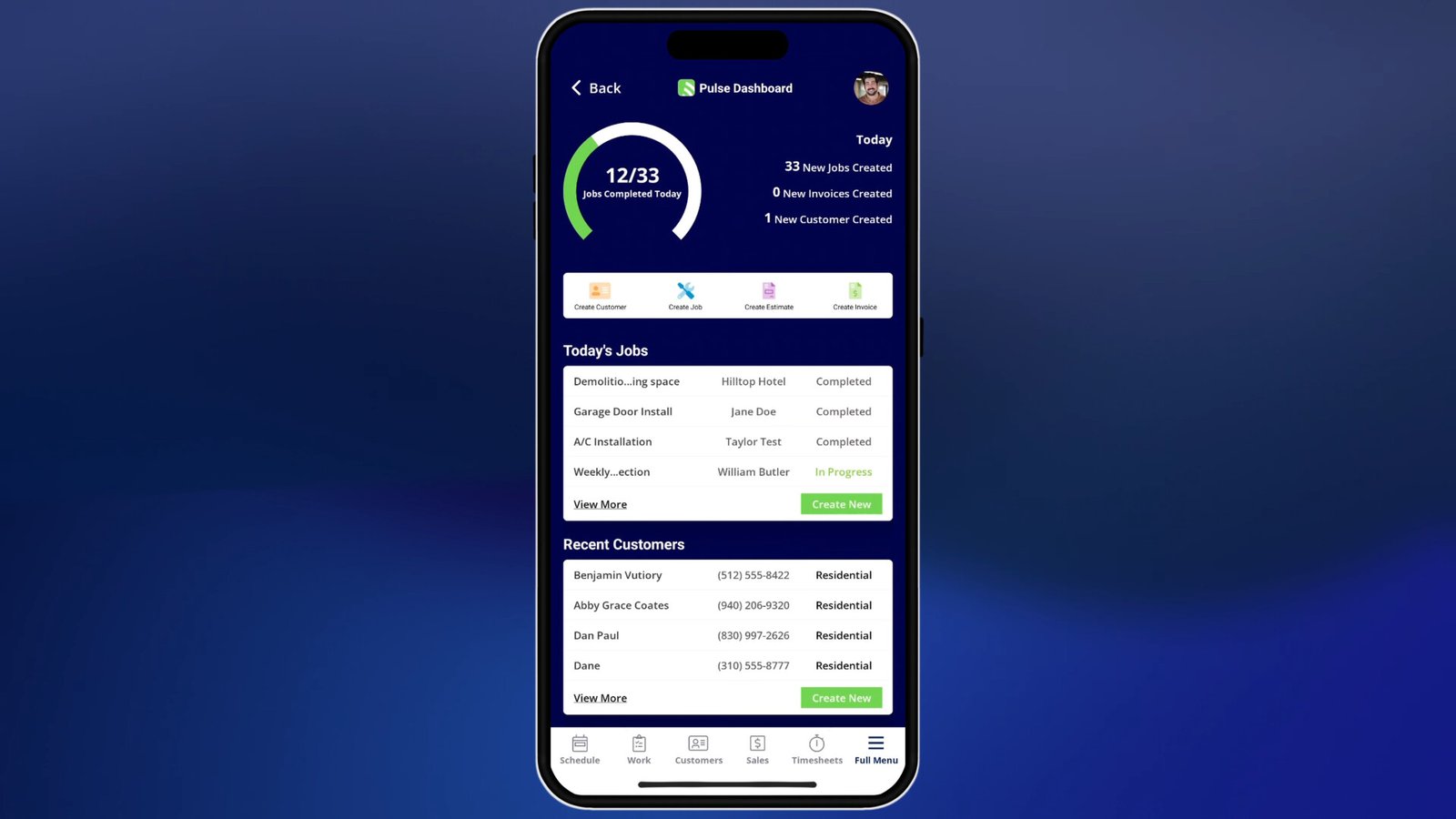
- The interface is big, touch-friendly, and dark-mode ready.
- Technicians can create invoices and quotes purely from the phone without it feeling cramped.
Variant Proposals (Good/Better/Best)
You don’t need to pay for expensive sales tools like SalesBuilder Pro. FieldPulse has “Variant Proposals” built-in.
- You can present a quote with multiple options (Bronze/Silver/Gold).
- The customer selects one on the spot, signs, and it converts to a job immediately.
- Related: Estimates & Quotes Software Guide
Dispatching & Operations
The dispatch board offers the standard drag-and-drop features, but with better filtering.
- Map & List View: Toggle instantly to see where techs are geographically.
- Role-Based Permissions: (Critical Feature) You can specifically hide pricing, customer phone numbers, or profit margins from certain technicians. This protects your business data if a tech decides to leave and become a competitor.
Integrations (QuickBooks & Zapier)
- QuickBooks Online: The sync is two-way and real-time. Invoices created in FieldPulse appear in QBO instantly.
- Zapier: FieldPulse has one of the most robust Zapier integrations. You can use Webhooks to trigger almost anything.
- Example: “When a job is marked ‘Review Request’, send a Slack message to the marketing team.”
FieldPulse vs. Competitors
FieldPulse vs. Jobber
- Choose Jobber if you want the absolute easiest, “Apple-like” experience and don’t need to customize every field.
- Choose FieldPulse if you find Jobber too rigid and want to add custom data fields or complex status workflows.
FieldPulse vs. ServiceTitan
- Choose ServiceTitan if you have 20+ trucks and a call center.
- Choose FieldPulse if you have 3-10 trucks. You will save thousands of dollars a year and get 80% of the functionality you actually need.
Frequently Asked Questions (FAQ)
Does FieldPulse work offline?
Yes. The app caches data locally. Technicians can view job details, add notes, and create invoices without a signal. It syncs when they reconnect.
Can I hide prices from my technicians?
Yes. FieldPulse has granular permission settings. You can ensure that apprentice technicians can see the work order but not the dollar value of the invoice.
Is the Android app buggy?
In the past (circa 2022), the Android version lagged behind the iOS version. However, our 2026 testing shows they are now at parity. The Android app is stable and receives frequent updates.
Does it include a customer booking portal?
Yes. You can embed a booking widget on your website. Customers can request times, which appear as “Pending Requests” on your dispatch board for approval.
Can I import my data from another software?
Yes. FieldPulse offers free onboarding assistance. You can import customers and price lists via CSV (Excel), or their team can help you migrate from competitors like Jobber or Housecall Pro.